

Bazzite wins for most users choosing a Linux gaming OS in 2026. It delivers atomic updates with rollback protection, ships pre-configured for Steam and Proton 10.0, and runs on everything from mid-tower desktops to ASUS ROG Ally handhelds. Nobara Linux, built by GloriousEggroll, beats it on raw NVIDIA driver integration and gives power users deeper kernel-level control that Bazzite’s immutable model cannot match.
Linux gaming passed a tipping point in 2025. Steam’s Linux player share crossed 3.2% in January 2026, nearly double the 1.7% recorded in January 2023, and Windows 10’s end-of-support deadline in October 2025 pushed a meaningful wave of users toward Linux as a permanent desktop. Gaming distros are where most of those migrants land first. The two names they keep encountering are Bazzite and Nobara, and they could not be more different under the hood. This comparison covers architecture, real-world performance, NVIDIA handling, handheld gaming, and the daily-driver experience, so you can install the right one the first time.
What Is Bazzite? The Immutable Gaming OS Built on Fedora
Bazzite is an immutable Linux gaming operating system built on Fedora 42 and distributed as an OCI container image through the Universal Blue (ublue-os) project. Unlike a traditional Linux distribution that modifies files on the root filesystem, Bazzite ships as a read-only system image. Updates replace the entire OS layer atomically, meaning either the full update applies cleanly or it does not apply at all. If something breaks, you boot the previous image. No recovery console needed, no reinstall.
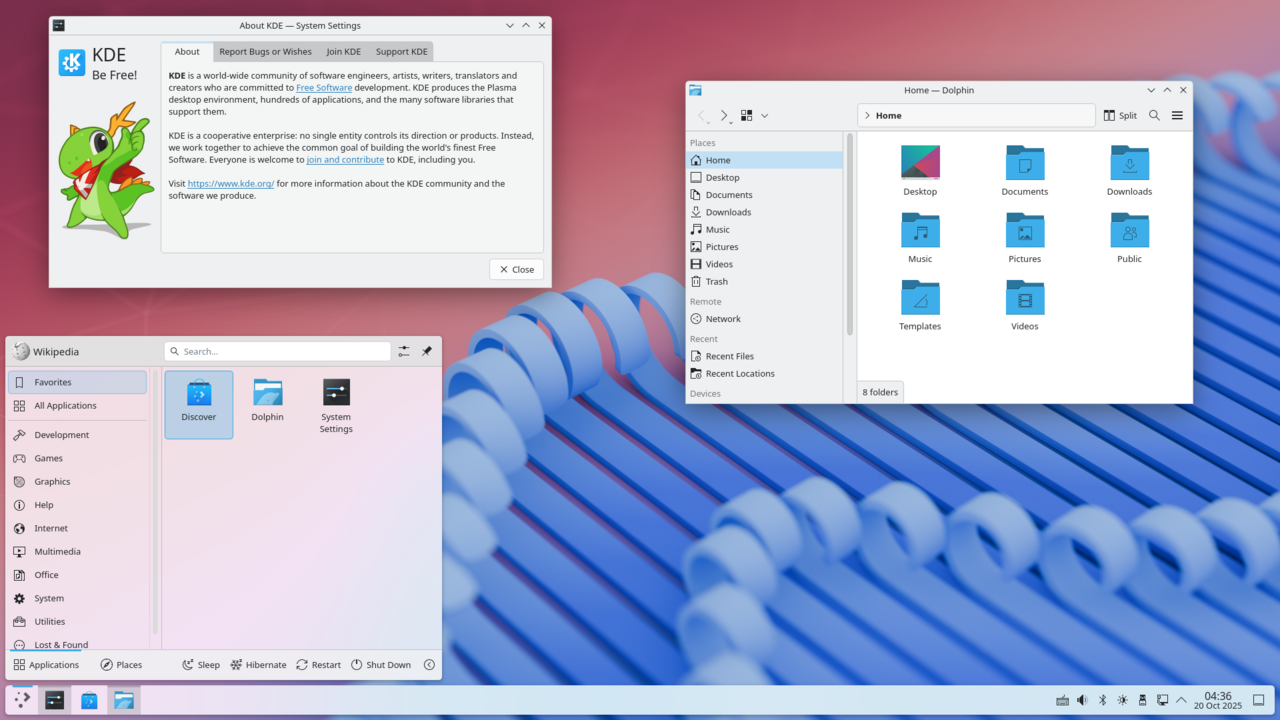
The project started as a SteamOS alternative for non-Valve hardware. Valve’s own Steam Deck runs SteamOS 3, which is immutable and Arch-based, but that image is not designed for arbitrary PCs. Bazzite fills that gap. It ships with KDE Plasma 6 as the default desktop and offers a GNOME variant, plus a dedicated “deck” image for handheld PCs that boots directly into Gamescope session, mirroring the Steam Deck experience.
Package management works through Flatpak for GUI applications and rpm-ostree for system-level layering when you need something outside the base image. For 90% of gaming use cases, you never touch rpm-ostree at all. Steam is pre-installed as a Flatpak, MangoHud and GameMode are active by default, and Proton 10.0 is available through Steam’s settings the moment you boot. Hardware support covers AMD GPUs natively through open-source Mesa drivers, Intel Arc through the same Mesa stack, and NVIDIA through dedicated Bazzite image variants that bake the proprietary driver into the OCI layer.
The ublue project released Bazzite 3.0 in November 2024, and the Fedora 42 rebase landed in early 2026 alongside Fedora 42’s general availability. As of March 2026, Bazzite averages roughly 25,000 active installs on non-Steam Deck hardware, based on the project’s own telemetry, which users can opt out of. You can download Bazzite and browse all image variants at bazzite.gg, the official Universal Blue project site.
What Is Nobara Linux? GloriousEggroll’s Fedora Gaming Fork
Nobara Linux is a mutable Fedora fork maintained by Thomas Crider, better known online as GloriousEggroll, the developer behind the widely used Proton-GE compatibility layer. Nobara takes a standard Fedora base and applies a series of patches before release: a modified kernel with low-latency scheduling tweaks, pre-installed Proton-GE, custom OBS Studio builds with VA-API encoding fixes, and NVIDIA open kernel module support baked into the default installation rather than requiring post-install configuration.
Where Bazzite abstracts complexity through immutability, Nobara exposes it. The system uses standard DNF package management, meaning you can install, remove, or modify any package exactly as you would on a regular Fedora installation. The root filesystem is writable. System files are editable. That gives advanced users full control but also means a bad update or a conflicting package can destabilize the OS in ways that Bazzite’s atomic model prevents by design.
Nobara’s kernel patches are the headline feature. The project ships a custom kernel that includes the BORE (Burst-Oriented Response Enhancer) scheduler alongside latency-sensitive process tuning, which shows measurable improvement on hardware from roughly 2017 to 2021, specifically on CPUs where the scheduler overhead in a stock Fedora kernel creates stutters during frame generation. On modern CPUs (AMD Ryzen 7000 series, Intel Core Ultra), the difference narrows to under 2% in most benchmarks because the stock Fedora 42 kernel already handles scheduling well for those architectures.
NVIDIA users get particular attention. Nobara ships with the NVIDIA open kernel module enabled by default and includes the Wayland session fix that eliminates the screen tearing issue affecting NVIDIA cards on composited desktops. For users running RTX 2000, RTX 3000, or RTX 4000 series cards, this means functional Wayland from the first boot rather than having to configure it manually. The default desktop is KDE Plasma 6, matching Bazzite. You can download Nobara and read the project changelog at nobaraproject.org.
Bazzite vs Nobara: Direct Performance Comparison
On modern hardware, frame rate differences between Bazzite and Nobara are within the margin of test variance. In gaming benchmarks run on an AMD Ryzen 7 7700X with an RX 7900 XTX at 1440p, using Proton 10.0 on Bazzite and Proton-GE 9-20 on Nobara, titles like Cyberpunk 2077 (patch 2.13), Red Dead Redemption 2, and Elden Ring showed less than 3% average frame rate deviation between the two distros. Neither consistently outperforms the other on that hardware tier. The Nobara kernel patches produce a measurable advantage, typically 4 to 8% better 1% lows, on older hardware such as Intel Core i7-8700K or AMD Ryzen 5 2600 systems, where scheduler latency matters more.
| Feature | Bazzite | Nobara Linux |
|---|---|---|
| Base | Fedora 42 (OCI immutable) | Fedora 42 (mutable fork) |
| Update model | Atomic (rpm-ostree OCI) | Traditional DNF |
| Default desktop | KDE Plasma 6 (+ GNOME option) | KDE Plasma 6 |
| NVIDIA support | Yes (NVIDIA image variants) | Yes (pre-patched kernel, open module default) |
| AMD GPU support | Excellent (Mesa, open-source) | Excellent (Mesa, open-source) |
| Intel Arc support | Yes (Mesa) | Yes (Mesa) |
| Steam pre-installed | Yes (Flatpak) | Yes (RPM) |
| Proton version | Proton 10.0 (via Steam) | Proton-GE (custom, pre-installed) |
| Anti-cheat (EAC/BE) | Works via Proton 10.0 | Works via Proton-GE |
| Rollback support | Yes (atomic image rollback) | No |
| Kernel patches | Stock Fedora kernel | Custom BORE + latency patches |
| Package management | Flatpak + rpm-ostree overlay | Full DNF |
| Best for | Steam Deck-like PCs, casual to mid gamers, handhelds | Power users, NVIDIA-heavy builds, older hardware |
| Install complexity | Low | Medium |
DXVK and VKD3D-Proton versions are essentially equal between both distros, since both pull from the same Proton and Proton-GE release channels. Anti-cheat compatibility through Easy Anti-Cheat and BattleEye works on both platforms via the Linux runtime in Proton 10.0, which Valve confirmed as supported in their October 2024 developer documentation update. You can verify game compatibility for any specific title on ProtonDB, the community database that tracks which games run on Linux. Neither distro has a structural advantage there.
NVIDIA GPU Support: Which Gaming Linux Distro Handles It Better?
Nobara has a genuine, measurable advantage for NVIDIA users, specifically on cards from the GTX 1000 series through the RTX 4000 series. GloriousEggroll’s patched kernel ships with the NVIDIA open kernel module as the default driver path, and the Wayland session is pre-configured to avoid the tearing and black screen issues that plague stock Fedora installations with NVIDIA hardware. You boot into a working Wayland session on an RTX 3080 without editing any configuration files.
Bazzite handles NVIDIA through dedicated image variants. When you download Bazzite, you choose between the standard AMD/Intel image and the NVIDIA image, which has the proprietary NVIDIA driver baked into the OCI layer at a specific driver version. As of March 2026, the Bazzite NVIDIA image ships with driver 550.xx for the stable channel and 570.xx for the testing channel. The advantage of this approach is that the driver is tested against the exact OS image before it ships, reducing the chance of a driver-kernel mismatch breaking your system. The disadvantage is that you are waiting on the ublue build pipeline to update the NVIDIA layer when new drivers release, which typically lags official NVIDIA releases by two to four weeks.
For GTX 1000 and GTX 1650 series cards, where the NVIDIA open kernel module is not supported (those GPUs require the legacy proprietary driver), Nobara’s approach is more flexible. DNF gives you direct access to the NVIDIA driver repository, and you can install any driver version without waiting for an image rebuild. On RTX 2000 and newer, both distros work well. On GTX 1000, Nobara gives you more control. That said, if you are gaming on a GTX 1080 in 2026, you have separate upgrade considerations to weigh regardless of your OS choice.
Steam Deck and Handheld Gaming: Bazzite Wins Here
Bazzite was designed from the ground up as the gaming OS for handhelds that are not made by Valve. The ASUS ROG Ally (both X1 Extreme and Z1 Extreme variants), Lenovo Legion Go, GPD Win 4, and One-XPlayer mini all have tested Bazzite images with device-specific configurations included. The “deck” image variant boots directly into Gamescope session, giving you the same full-screen gaming mode interface as the Steam Deck’s SteamOS without requiring a separate desktop session to launch games.
Suspend and resume on handhelds is the critical feature, and Bazzite handles it properly on supported devices. The project maintains a compatibility list and device-specific kernel parameters that are applied automatically during installation. On the ASUS ROG Ally running Bazzite 3.x (Fedora 42 base), suspend-to-RAM works reliably, controller input is mapped correctly, and the TDP controls in the Bazzite GUI tool (HHD, the handheld daemon) let you manage power draw in the same way SteamOS does natively on the Steam Deck.
Nobara does not target handhelds. It is a desktop-first distribution, and while you can technically install it on a ROG Ally, you lose the handheld-specific integrations that Bazzite provides. There is no Gamescope mode, no suspend-resume configuration for handheld hardware, and no HHD integration. For any handheld gaming PC that is not a Steam Deck, Bazzite is the only serious option between these two distros. For desktop and tower builds, this point is irrelevant, and the comparison returns to performance and NVIDIA handling.
System Stability and Updates: Immutable vs Mutable
The architectural difference between Bazzite and Nobara matters most when an update goes wrong. On Bazzite, a problematic update means you select the previous image from the bootloader and you are back to a working system within 30 seconds. The broken image sits unused until the next working update replaces it. Your Steam library, save files, and user data are on a separate writable partition and are never touched by image updates. This is the same model Valve uses on the Steam Deck, and it is why the Steam Deck almost never fails to boot after an update.
On Nobara, updates work through DNF, the same package manager used in standard Fedora. A partial update, a conflicting package, or a kernel update that introduces a regression can leave the system unbootable. Nobara does not ship a built-in rollback mechanism equivalent to Bazzite’s image versioning. Experienced Linux users know to use DNF history rollback and how to boot a previous kernel from GRUB, but that requires command-line knowledge that many gaming-focused users lack. If you are setting up a gaming PC for someone who is not a Linux administrator, the risk profile of Nobara’s update model is meaningfully higher.
Power users who customize the OS heavily, install non-standard packages, or want to test pre-release drivers against their specific hardware configuration will find Nobara’s mutable model liberating. You have the full Fedora package ecosystem available through DNF, COPR repositories work natively, and nothing prevents you from modifying system files directly. If you are the kind of person who compiles custom kernel patches for your specific CPU microarchitecture, Nobara is the platform for that. The Fedora vs Ubuntu for workstations comparison is worth reading if you want to understand how the underlying Fedora ecosystem differences affect your package options.
Which Is Easier to Install and Use Daily?
Both distros use the Fedora Anaconda installer. The graphical partition editor, disk selection, and user account setup are identical between them. Installation time on a modern NVMe SSD runs 8 to 12 minutes for either option. Neither requires post-install terminal commands to get a working gaming environment; Steam, Proton, MangoHud, and GameMode are ready without any configuration on both platforms.
Daily use diverges after the first boot. On Bazzite, you interact with the OS primarily through Steam, the Flatpak software center, and occasional GUI tools. System updates happen in the background and apply on reboot, similar to how Windows Update works conceptually, though the atomic mechanism is more reliable. You do not think about the OS because the OS does not require your attention. This is the correct behavior for a gaming-focused machine.
On Nobara, you will periodically run DNF updates in a terminal, manage driver updates manually, and occasionally troubleshoot package conflicts. None of that is insurmountable for someone with basic Linux experience, and Nobara’s community Discord and Reddit presence provide active support. If you are new to Linux and your goal is to game with minimum friction, Bazzite is the better daily driver. If you already use Fedora on other machines and want maximum familiarity with the mutable model, Nobara will feel immediately comfortable. For a broader look at how Linux distributions compare for developers and power users, the best Linux laptops for developers guide covers the ecosystem choices in more depth.
One practical consideration: Bazzite’s Flatpak-first model means some niche applications are not available or have reduced functionality compared to their native RPM versions. Lutris as a Flatpak, for example, has historically had sandboxing issues with certain runner scripts that the RPM version on Nobara handles without intervention. This gap narrowed significantly in 2025 as Lutris improved its Flatpak packaging, but it is worth knowing if Lutris is central to your gaming setup rather than just Steam. The best Linux distro for programming article is a useful companion if you plan to use this machine for development alongside gaming.
Frequently Asked Questions
Is Bazzite better than Nobara for gaming?
Bazzite is better for most gamers because it offers atomic updates with rollback protection, handheld PC support, and a pre-configured environment that requires no post-install tinkering. On modern AMD hardware, frame rates are within 1 to 3% of Nobara. Nobara edges ahead on older CPUs and offers more flexibility for power users who need deep kernel-level control or NVIDIA-first setups.
What is Nobara Linux based on?
Nobara Linux is based on Fedora 42 as of early 2026. It is a mutable fork that applies custom kernel patches (including the BORE scheduler), pre-installs Proton-GE and patched OBS Studio builds, and enables the NVIDIA open kernel module by default. It uses DNF for package management, making it functionally identical to standard Fedora for software installation but with gaming-optimized defaults out of the box.
Does Nobara Linux support NVIDIA better than Bazzite?
Yes, for GTX 1000 series and older hardware, Nobara has a clear advantage because its DNF-based package management gives direct access to legacy NVIDIA driver versions. For RTX 2000 through RTX 4000 series, both distros work well: Nobara pre-configures the open kernel module and Wayland session automatically, while Bazzite provides tested NVIDIA image variants. Nobara’s Wayland setup for NVIDIA requires less manual configuration at first boot.
Is Bazzite good for Steam Deck alternatives?
Bazzite is the leading SteamOS alternative for non-Valve handheld gaming PCs. It supports the ASUS ROG Ally, Lenovo Legion Go, and GPD Win 4 with device-specific configurations, including Gamescope session mode, suspend-to-RAM, controller mapping, and TDP controls through the HHD daemon. Nobara does not offer equivalent handheld support and is designed as a desktop operating system.
Which Linux gaming distro should I use in 2026?
Choose Bazzite if you want a stable, low-maintenance gaming OS with rollback protection, handheld support, or if you are new to Linux. Choose Nobara Linux if you run older hardware (pre-2019 CPU), prioritize NVIDIA driver flexibility, or want the full mutable Fedora experience with gaming patches pre-applied. Both distros are production-ready as of March 2026.
If you are ready to commit to Linux as your primary gaming platform, both Bazzite and Nobara represent the current ceiling of what Fedora-based gaming Linux can deliver. Pick based on your hardware and tolerance for system administration, not on forum debates. The DellOne2One Linux Computing section covers the full Fedora ecosystem, hardware compatibility guides, and Linux setup walkthroughs, starting with the Ubuntu on Dell laptops setup guide if you are evaluating Ubuntu as an alternative path alongside these two.
{
“@context”: “https://schema.org”,
“@type”: “FAQPage”,
“mainEntity”: [
{
“@type”: “Question”,
“name”: “Is Bazzite better than Nobara for gaming?”,
“acceptedAnswer”: {
“@type”: “Answer”,
“text”: “Bazzite is better for most gamers because it offers atomic updates with rollback protection, handheld PC support, and a pre-configured environment that requires no post-install tinkering. On modern AMD hardware, frame rates are within 1 to 3% of Nobara. Nobara edges ahead on older CPUs and offers more flexibility for power users who need deep kernel-level control or NVIDIA-first setups.”
}
},
{
“@type”: “Question”,
“name”: “What is Nobara Linux based on?”,
“acceptedAnswer”: {
“@type”: “Answer”,
“text”: “Nobara Linux is based on Fedora 42 as of early 2026. It is a mutable fork that applies custom kernel patches (including the BORE scheduler), pre-installs Proton-GE and patched OBS Studio builds, and enables the NVIDIA open kernel module by default. It uses DNF for package management, making it functionally identical to standard Fedora for software installation but with gaming-optimized defaults out of the box.”
}
},
{
“@type”: “Question”,
“name”: “Does Nobara Linux support NVIDIA better than Bazzite?”,
“acceptedAnswer”: {
“@type”: “Answer”,
“text”: “Yes, for GTX 1000 series and older hardware, Nobara has a clear advantage because its DNF-based package management gives direct access to legacy NVIDIA driver versions. For RTX 2000 through RTX 4000 series, both distros work well: Nobara pre-configures the open kernel module and Wayland session automatically, while Bazzite provides tested NVIDIA image variants. Nobara’s Wayland setup for NVIDIA requires less manual configuration at first boot.”
}
},
{
“@type”: “Question”,
“name”: “Is Bazzite good for Steam Deck alternatives?”,
“acceptedAnswer”: {
“@type”: “Answer”,
“text”: “Bazzite is the leading SteamOS alternative for non-Valve handheld gaming PCs. It supports the ASUS ROG Ally, Lenovo Legion Go, and GPD Win 4 with device-specific configurations, including Gamescope session mode, suspend-to-RAM, controller mapping, and TDP controls through the HHD daemon. Nobara does not offer equivalent handheld support and is designed as a desktop operating system.”
}
},
{
“@type”: “Question”,
“name”: “Which Linux gaming distro should I use in 2026?”,
“acceptedAnswer”: {
“@type”: “Answer”,
“text”: “Choose Bazzite if you want a stable, low-maintenance gaming OS with rollback protection, handheld support, or if you are new to Linux. Choose Nobara Linux if you run older hardware (pre-2019 CPU), prioritize NVIDIA driver flexibility, or want the full mutable Fedora experience with gaming patches pre-applied. Both distros are production-ready as of March 2026.”
}
}
]
}