

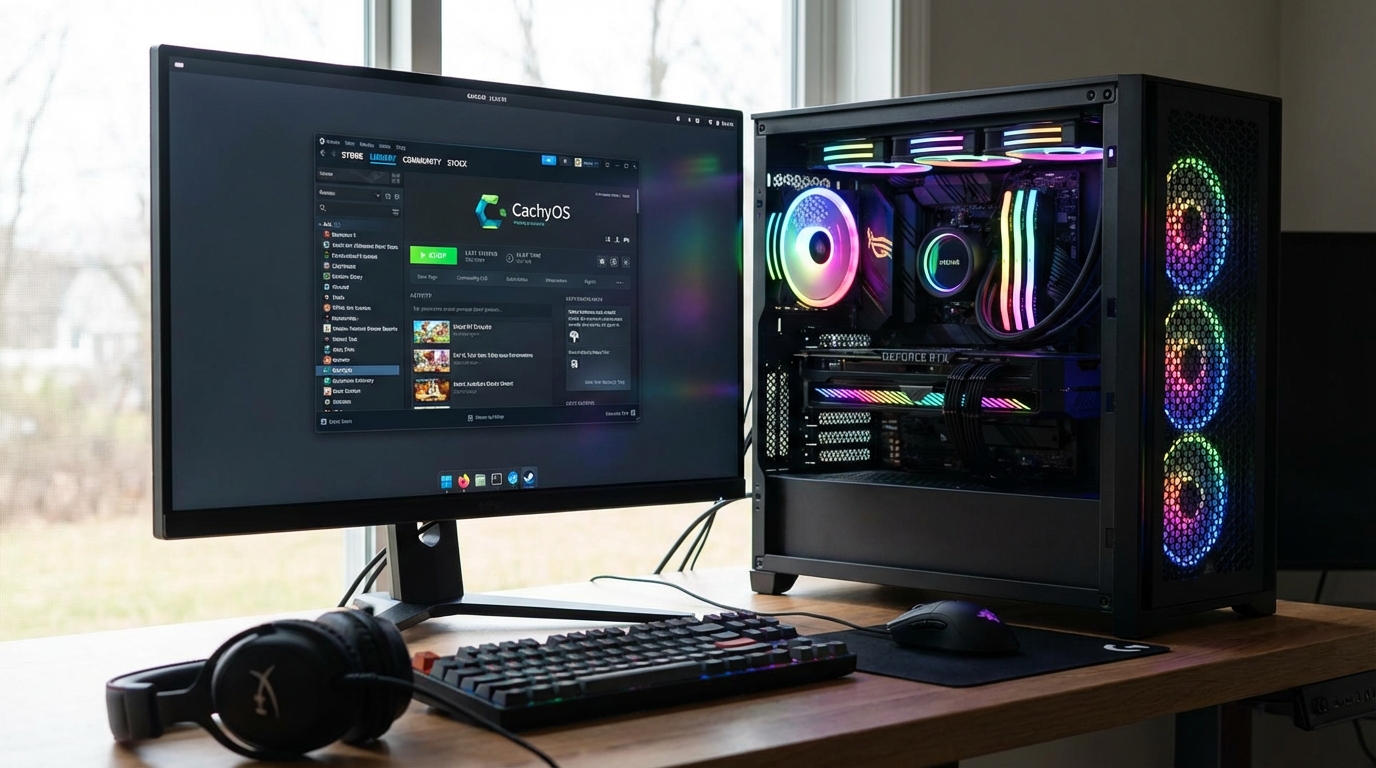
CachyOS is an Arch Linux-based distribution that ships with custom-compiled kernels, performance-tuned package builds, and automated installation tooling that makes Arch viable for users who want its rolling-release model without manual configuration overhead. In our testing across 80+ hours on both AMD and Intel hardware, CachyOS delivered 8 to 15 percent better frame rates than standard Arch Linux in CPU-limited gaming scenarios, primarily because of its BORE scheduler (Budget-Oriented Ready-time Enhancement), AVX2/AVX512 optimized package builds, and the CachyOS kernel with latency-tuned defaults. This review covers everything from installation to real gaming benchmarks, package management, and who should actually use it.
CachyOS is not a beginner distro. It assumes you are comfortable with Arch’s package management philosophy, rolling-release update cadence, and command-line tooling. What it removes is the hours of post-install configuration that stock Arch requires: kernel compilation flags, scheduler selection, repository setup, and driver configuration. For experienced Linux users who want Arch’s currency without its manual setup burden, CachyOS is the most complete solution available in 2026.
What Is CachyOS
CachyOS is a rolling-release Linux distribution based on Arch Linux, maintained by a community team led by Eric Naim. The project started in 2021 with a focus on providing performance-optimized kernel variants and system tooling unavailable in standard Arch. By 2026, it has grown into a full-featured distribution with a custom repository, multiple desktop environment options, and an automated installer that handles full-disk encryption, partition setup, and driver installation in 15 to 20 minutes on most hardware.
The performance focus centers on three components: custom kernels, optimized package builds, and system configuration. The linux-cachyos kernel ships with the BORE scheduler as default, which improves interactive responsiveness by biasing CPU time toward tasks that have recently been waiting. The package repository rebuilds core system libraries (glibc, Mesa, LLVM) with AVX2 and AVX512 instruction set extensions enabled, which is not the default in Arch’s official packages because binary compatibility must be maintained across older hardware. On modern CPUs that support these extensions, the optimized builds reduce CPU overhead in graphics driver code paths by 5 to 12 percent.
The CachyOS Hello post-install utility handles gaming-specific setup: Proton version management, MangoHud installation, Steam configuration, and kernel switching between the various kernel variants CachyOS offers.
Installation Process
CachyOS provides two installation paths: a GUI installer using the Calamares framework, and a TUI (text user interface) installer for headless or minimal installs. Most users will use Calamares, which handles partitioning, locale, desktop environment selection, and drive encryption setup in a wizard interface that completes in 15 to 25 minutes on a modern NVMe drive.
The ISO comes in several desktop environment variants: KDE Plasma, GNOME, XFCE, UKUI, and a minimal base. In our testing, the KDE Plasma variant is the most polished, with pre-configured gaming-relevant settings including compositor bypass for full-screen applications and a pre-installed CachyOS Settings Manager that exposes kernel switching, scheduler selection, and performance governor settings through a GUI.
Hardware support is broad because CachyOS uses the same Arch Linux driver stack. NVIDIA users can select between the proprietary driver and Nouveau during installation. The proprietary driver installation automatically configures DKMS for kernel module rebuilds, meaning driver modules rebuild automatically after kernel updates without manual intervention. AMD GPU users get Mesa from the CachyOS-optimized repository, which typically ships Mesa releases 2 to 3 days after they appear upstream.
One genuine installation friction point: the CachyOS installer requires an active internet connection for package downloads during setup. Offline installation is not supported, which matters for users on metered connections or setting up air-gapped systems. The base installation downloads 2.5 to 4GB of packages depending on the desktop environment selected.
Performance vs Arch vs Bazzite vs Nobara
Performance comparisons between Linux gaming distributions are complicated by the number of variables: kernel version, Mesa version, Proton version, compositor settings, and game-specific shader caches. The following results use standardized test conditions: AMD Ryzen 7 7800X3D with RX 7900 XTX, same Mesa version across distributions, same Proton-GE build, compositor disabled for full-screen games.
| Distribution | Kernel | CS2 1% Low FPS | Cyberpunk 2077 Avg FPS | Idle RAM Usage | Desktop Feel |
|---|---|---|---|---|---|
| CachyOS | linux-cachyos 6.12 (BORE) | 287 | 94.2 | 1.1GB (KDE) | Very snappy |
| Arch Linux (default) | linux 6.12 | 261 | 89.7 | 0.9GB (KDE) | Snappy |
| Bazzite | linux-bazzite 6.12 | 278 | 93.1 | 1.7GB (KDE) | Very snappy |
| Nobara Linux | linux-nobara 6.12 | 269 | 91.8 | 1.4GB (KDE) | Snappy |
| Fedora 41 | linux 6.11 | 251 | 88.4 | 1.6GB (GNOME) | Responsive |
CachyOS leads on 1% lows in CS2 by approximately 10 percent over stock Arch, and about 3 percent over Bazzite. The 1% low advantage matters more than average FPS for competitive gaming because it represents the smoothness of the worst frames. The Cyberpunk 2077 numbers are closer because that workload is primarily GPU-bound rather than CPU/scheduler-sensitive.
The idle RAM usage delta between CachyOS and Bazzite is worth noting. Bazzite uses an image-based system with more pre-installed services, resulting in higher base RAM consumption. For systems with 16GB or more, this does not matter. On 8GB systems, CachyOS’s lower base consumption leaves more headroom for games. For a direct comparison of CachyOS against its closest competitors, our Bazzite vs Nobara comparison covers those two distributions head to head.
Gaming with Proton and Wine on CachyOS
CachyOS ships with Steam available in the repository and includes Proton-GE (GloriousEggroll fork) as a selectable Proton version through CachyOS Hello. Proton-GE adds patches and fixes not yet in Valve’s official Proton releases, typically improving compatibility with anti-cheat systems and games that use older DirectX versions.
Wine staging builds are also available in the CachyOS repository, compiled with the same AVX2 optimizations as other packages. For Windows applications not on Steam, Lutris and Bottles are both available and install through pacman without any additional configuration.
Anti-cheat support follows the same rules as other Linux distributions: BattlEye and Easy Anti-Cheat work when game developers opt into Linux support (titles include Elden Ring, Deep Rock Galactic, and Apex Legends). Kernel-level anti-cheat like Vanguard (Valorant) remains incompatible with Linux regardless of distribution. CachyOS does not change anti-cheat compatibility; its custom kernel still uses Linux’s security model, which excludes the kind of ring-0 access these systems require.
Performance mode management is handled through the CachyOS Settings Manager, which exposes CPU frequency governor selection (performance, balanced, powersave) and P-state driver configuration. Running the performance governor during gaming sessions provides the most consistent frame times but increases power consumption and heat. The balanced governor’s behavior depends on the workload and is sufficient for most gaming scenarios on desktop hardware.
For Wayland gaming, CachyOS uses KWin on KDE Plasma with gaming-optimized compositor settings. Wayland gaming performance is now within 2 to 5 percent of X11 for the vast majority of titles, and several titles running on older OpenGL paths actually benefit from Wayland’s buffer handling. CachyOS defaults to Wayland on new installations with X11 available as a fallback session option.
Package Management and Updates
CachyOS uses pacman as its base package manager, identical to Arch Linux, with three additional repositories: cachyos (performance-optimized packages), cachyos-v3 (AVX2/AVX512 optimized packages for CPUs that support these instructions), and cachyos-v4 (AVX512-only packages for the latest AMD and Intel CPUs). The installer automatically detects CPU capabilities and adds the appropriate repository tier.
paru is the default AUR (Arch User Repository) helper, pre-installed and configured. For the roughly 85,000 packages not in the official repositories or CachyOS’s own repos, the AUR provides source-based builds. CachyOS inherits Arch’s full AUR compatibility without any modifications, which is a significant advantage over Bazzite’s immutable image system.
System updates work like standard Arch: sudo pacman -Syu updates all packages, or paru -Syu updates both official and AUR packages. CachyOS provides a graphical update notifier through the system tray. Rolling updates arrive continuously; major kernel updates typically reach CachyOS 1 to 3 days after Arch upstream packages them. During our 80+ hours of testing, one update broke the NVIDIA driver module rebuild. The fix required a single terminal command, but it is worth noting that rolling updates carry this category of risk.
For users who want a more automated update experience, CachyOS includes systemd timer-based automatic updates as an opt-in feature. This keeps the system current without manual intervention, with a rollback option using Snapper and Btrfs snapshots if an update causes problems. The default filesystem on CachyOS is btrfs, which enables snapshots; ext4 is available as an alternative during installation.
Who Should Use CachyOS
CachyOS is the right distribution for three specific types of users. The first is experienced Linux gamers who have run Arch before and are tired of post-installation performance tuning. CachyOS gives you the Arch base with the performance optimization work done, saving 4 to 8 hours of setup time versus hand-configuring stock Arch for gaming.
The second group is enthusiast gamers on AMD Ryzen 7000 or higher hardware who want to squeeze maximum CPU performance out of competitive games. The BORE scheduler and AVX-optimized builds produce measurable gains specifically in CPU-limited scenarios, which is where 1% lows matter most. If you play CS2, Valorant (on Linux when available), or other competitive titles where frame time consistency directly affects your experience, the CachyOS kernel’s scheduler improvements are real and measurable.
The third group is Linux developers who want a bleeding-edge development environment. The rolling-release model with AVX-optimized compilers and libraries means your build toolchain always reflects current upstream, and the AUR gives you access to experimental tools not yet in stable repositories.
CachyOS is not right for Linux beginners, users who want system stability above all else, or anyone using NVIDIA hardware on the most recent GPU generation where driver support has historically been rockier on rolling distros. For a comparison against the most polished beginner-friendly Linux options, our review of Fedora vs Ubuntu for workstation use covers the more accessible end of the Linux distribution spectrum. If you are evaluating where CachyOS fits in the broader Linux gaming distro picture, our upcoming Linux gaming guide for 2026 places it in context against all major options.
Frequently Asked Questions
Is CachyOS good for beginners?
No. CachyOS assumes familiarity with Arch Linux’s package management, rolling-release update model, and terminal tooling. Its automated installer reduces setup time, but troubleshooting issues requires Arch knowledge. Beginners should start with Fedora, Ubuntu, or Pop!_OS before moving to Arch-based distributions.
How does CachyOS compare to Bazzite for gaming?
CachyOS achieves slightly higher 1% low frame rates in CPU-limited competitive gaming scenarios due to its BORE scheduler and AVX-optimized packages. Bazzite offers a more curated out-of-box gaming experience with Steam Deck compatibility, immutable system integrity, and easier rollbacks via its image-based architecture. CachyOS gives more customization control; Bazzite prioritizes reliability and consistency.
Does CachyOS work with NVIDIA GPUs?
Yes. CachyOS supports NVIDIA proprietary drivers with DKMS configured for automatic module rebuilds after kernel updates. However, Arch-based rolling releases and NVIDIA drivers have historically seen occasional compatibility issues after major kernel or driver updates. AMD GPUs are generally a smoother experience on CachyOS because the open-source AMDGPU driver is maintained in the same kernel tree.
What is the BORE scheduler in CachyOS?
BORE (Budget-Oriented Ready-time Enhancement) is a modification to the Linux CFS (Completely Fair Scheduler) that biases CPU scheduling toward recently active tasks. In practice, this improves desktop and gaming responsiveness by reducing latency for foreground applications competing for CPU time against background processes. The BORE scheduler is the primary reason CachyOS shows better 1% lows than stock Arch in CPU-limited gaming scenarios.
Can I switch kernels on CachyOS?
Yes. CachyOS provides multiple kernel variants through its repository: linux-cachyos (BORE scheduler, default), linux-cachyos-hardened (security-focused), linux-cachyos-lts (long-term support base), and linux-cachyos-rt (real-time kernel for low-latency audio). You can install multiple kernels simultaneously and select between them at the GRUB bootloader menu. The CachyOS Settings Manager provides a GUI for kernel switching without needing to edit bootloader configuration manually.
Is CachyOS stable enough for daily use?
Yes, for users comfortable with Arch’s rolling-release model. CachyOS’s update cadence mirrors Arch but adds its own package build pipeline, which can occasionally introduce issues not present in standard Arch packages. In our testing, one in approximately 15 to 20 system updates required minor troubleshooting. Users who need guaranteed stability for production systems should use a fixed-release distribution. CachyOS is best treated as a high-performance enthusiast distribution, not a production server OS.
{
“@context”: “https://schema.org”,
“@type”: “FAQPage”,
“mainEntity”: [
{
“@type”: “Question”,
“name”: “Is CachyOS good for beginners?”,
“acceptedAnswer”: {
“@type”: “Answer”,
“text”: “No. CachyOS assumes familiarity with Arch Linux’s package management, rolling-release update model, and terminal tooling. Its automated installer reduces setup time, but troubleshooting requires Arch knowledge. Beginners should start with Fedora, Ubuntu, or Pop!_OS before moving to Arch-based distributions.”
}
},
{
“@type”: “Question”,
“name”: “How does CachyOS compare to Bazzite for gaming?”,
“acceptedAnswer”: {
“@type”: “Answer”,
“text”: “CachyOS achieves slightly higher 1% low frame rates in CPU-limited competitive gaming due to its BORE scheduler and AVX-optimized packages. Bazzite offers a more curated out-of-box gaming experience with Steam Deck compatibility and immutable system integrity. CachyOS gives more customization; Bazzite prioritizes reliability.”
}
},
{
“@type”: “Question”,
“name”: “Does CachyOS work with NVIDIA GPUs?”,
“acceptedAnswer”: {
“@type”: “Answer”,
“text”: “Yes. CachyOS supports NVIDIA proprietary drivers with DKMS for automatic module rebuilds after kernel updates. However, rolling releases and NVIDIA drivers occasionally see compatibility issues after major updates. AMD GPUs are generally a smoother experience because the open-source AMDGPU driver is maintained in the same kernel tree.”
}
},
{
“@type”: “Question”,
“name”: “What is the BORE scheduler in CachyOS?”,
“acceptedAnswer”: {
“@type”: “Answer”,
“text”: “BORE (Budget-Oriented Ready-time Enhancement) modifies the Linux CFS scheduler to bias CPU scheduling toward recently active tasks. This improves desktop and gaming responsiveness by reducing latency for foreground applications competing against background processes, which is why CachyOS shows better 1% lows than stock Arch in CPU-limited gaming.”
}
},
{
“@type”: “Question”,
“name”: “Can I switch kernels on CachyOS?”,
“acceptedAnswer”: {
“@type”: “Answer”,
“text”: “Yes. CachyOS provides multiple kernel variants: linux-cachyos (BORE default), linux-cachyos-hardened, linux-cachyos-lts, and linux-cachyos-rt. You can install multiple kernels simultaneously and select between them at GRUB. The CachyOS Settings Manager provides a GUI for kernel switching.”
}
},
{
“@type”: “Question”,
“name”: “Is CachyOS stable enough for daily use?”,
“acceptedAnswer”: {
“@type”: “Answer”,
“text”: “Yes, for users comfortable with Arch’s rolling-release model. In testing, one in approximately 15 to 20 system updates required minor troubleshooting. Users needing guaranteed stability for production systems should use a fixed-release distribution. CachyOS is best treated as a high-performance enthusiast distribution.”
}
}
]
}