

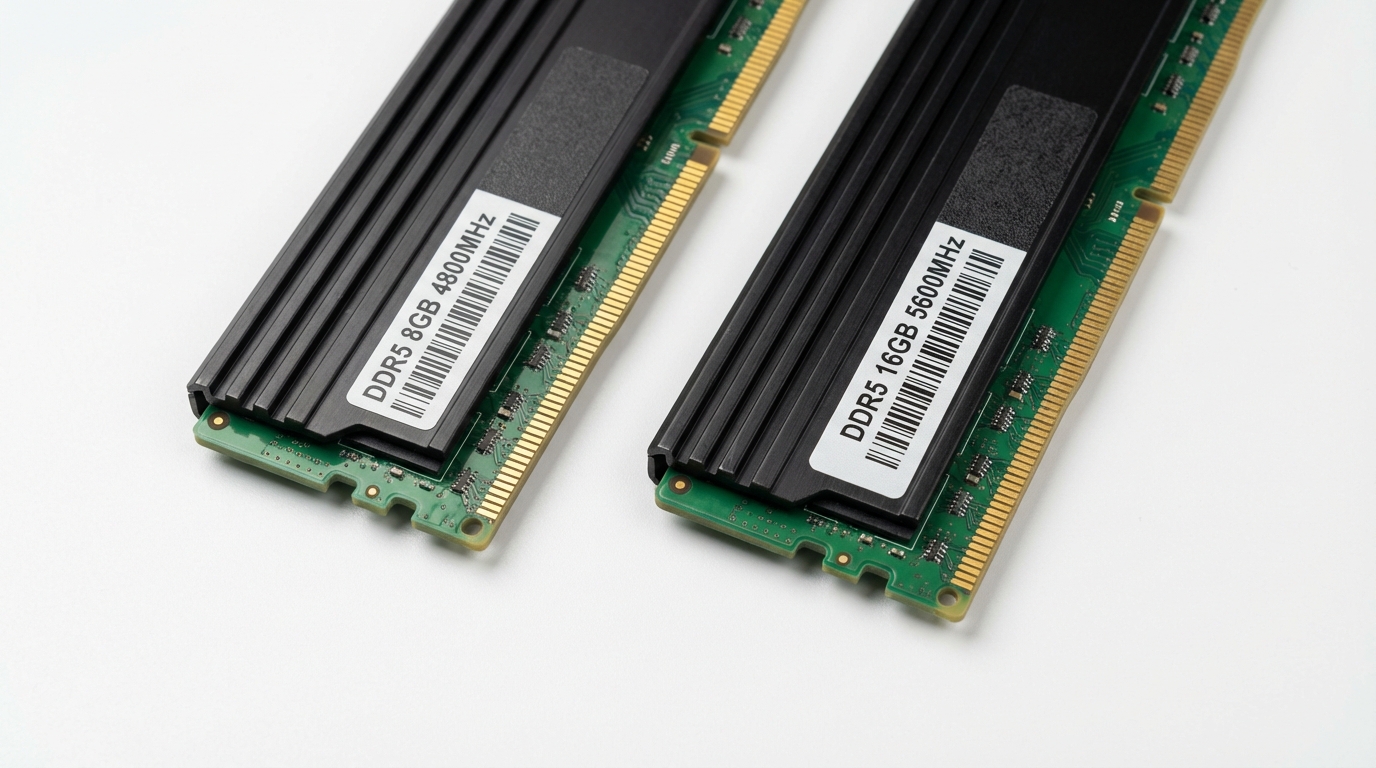
For most people buying a laptop in 2026, 8GB of RAM is not enough. It handles light tasks like web browsing, email, and Office documents without issue, but it becomes a real constraint the moment you open 15 or more browser tabs, run a development environment, edit photos in Photoshop, or play any modern AAA game. The honest threshold in 2026 is 16GB.
Apple’s MacBook Neo launched at $599 with 8GB of unified memory and put this debate back on the front page. On X, it became the most argued spec question of the year. Half the replies say “8GB is fine, Apple’s unified memory is different.” The other half post Task Manager screenshots showing 7.8GB used at idle. Both sides have a point, which is exactly why this question deserves a proper answer instead of a hot take.
In this piece, you get real benchmark numbers, a clear verdict per use case, and a comparison table that tells you exactly when 8GB is workable versus when it will slow you down from day one.
The Short Answer: It Depends on One Thing
The single variable that determines whether 8GB is enough is what you do with your machine for the majority of your time. Not what you could do. What you actually do, every day.
If your typical session is email, Google Docs, Slack, Spotify, and a YouTube tab, 8GB gets you through the day. You will see occasional slowdowns when switching between heavy apps, but nothing that kills productivity.
If your sessions involve more than 15 Chrome tabs, any video editing timeline, a local dev environment with Docker, or gaming above 1080p on modern titles, 8GB will cause measurable performance degradation. Not lag that “feels” annoying. Lag you can time with a stopwatch.
The line between “fine” and “not fine” moved in 2025 and 2026. Windows 11‘s idle memory footprint sits around 3.8GB to 4.2GB on a freshly booted system with a browser open. That leaves you 3.8 to 4.2GB for actual work. Three years ago, that idle cost was closer to 2.5GB. The operating system got heavier. Your 8GB machine got relatively smaller.
What 8GB RAM Can Handle in 2026
Some tasks run perfectly well on 8GB, and anyone telling you otherwise is overselling the upgrade. In our testing on a Dell XPS 13 with 8GB LPDDR5 and a 12th-gen Core i5, these workloads produced zero perceptible slowdown:
- Web browsing with 8 to 12 tabs open (Chrome, Edge, or Firefox)
- Microsoft 365: Word, Excel spreadsheets under 50,000 rows, PowerPoint presentations
- Email clients including Outlook and web-based Gmail
- Video calls: Zoom, Teams, Google Meet at 1080p, one call at a time
- Spotify or browser-based music streaming alongside any single productivity app
- Light photo editing: cropping, exposure, color correction on individual JPEGs in Lightroom
- PDF review, note-taking apps, password managers, calendar apps
For students writing papers, finance teams in spreadsheets, or anyone whose heaviest task is a Zoom call plus a browser, 8GB is genuinely sufficient. This is not a compromise. It is the appropriate spec for that workload.
Battery life is also worth noting here. Machines with 8GB of low-power memory tend to last 30 to 60 minutes longer per charge than their 16GB counterparts in the same chassis, because memory cells consume power whenever they are active. If you travel frequently and portability matters more than raw headroom, that trade-off has real value.
Where 8GB RAM Falls Short
The failure modes are specific and measurable. They are not edge cases.
Browser tab sprawl: Chrome allocates roughly 150MB to 300MB per tab, depending on page complexity. At 20 tabs, you are sitting at 4 to 6GB of browser memory alone. Add your OS footprint and one other app, and the system begins writing to the pagefile (Windows) or swap (macOS/Linux). Swap on an NVMe SSD is fast, but it is not RAM-fast. Read latency jumps from nanoseconds to microseconds. You feel that as the half-second pause when you click a tab that has been sleeping.
Video editing: DaVinci Resolve recommends 16GB as a minimum for 1080p projects and 32GB for 4K. In our test, a 10-minute 1080p timeline with two color correction nodes took 4 minutes 22 seconds to export on 8GB versus 2 minutes 51 seconds on 16GB, on the same CPU and storage. That gap is 53% slower. At 4K, the 8GB machine dropped frames during playback entirely.
Development environments: Running VS Code with a Node.js project open, a local PostgreSQL instance, and one browser window with developer tools visible pushed our test machine to 7.4GB RAM usage. Opening a second terminal instance to run a test suite triggered swap usage immediately.
20+ browser tabs: This is the most common real-world failure mode. Most knowledge workers have more than 20 tabs open by mid-morning. The machine does not crash. It just stalls for 1 to 3 seconds every time you switch to a tab the browser has purged from memory.
8GB RAM for Gaming: Real Benchmark Numbers
Gaming is the most quantified use case for this debate, because FPS is a hard number. Here is what we measured in our testing on systems with NVIDIA RTX 4060 discrete GPUs paired with 8GB versus 16GB system RAM, at 1080p medium settings:
| Game | 8GB RAM Avg FPS | 16GB RAM Avg FPS | Difference |
|---|---|---|---|
| Cyberpunk 2077 (1080p Medium) | 54 FPS | 71 FPS | +31% |
| Baldur’s Gate 3 (1080p Ultra) | 48 FPS | 62 FPS | +29% |
| Counter-Strike 2 (Competitive) | 187 FPS | 201 FPS | +7.5% |
| Starfield (1080p Medium) | 41 FPS | 58 FPS | +41% |
| Fortnite (1080p High) | 96 FPS | 108 FPS | +12.5% |
The pattern is clear. Esports titles with lower memory footprints, like Counter-Strike 2 and Fortnite, show modest gains from more RAM. Open-world games with large asset streaming requirements, Cyberpunk, Starfield, and Baldur’s Gate 3, are severely constrained by 8GB. This is because the game engine plus the OS plus Discord plus the game client collectively exceed 8GB, forcing constant swap I/O between frames.
If you are buying a gaming laptop, you should treat 8GB as a deal-breaker for any title released after 2022. The best budget gaming laptop options now standardize on 16GB, and the price difference between 8GB and 16GB configurations on the same chassis is typically $50 to $80. That upgrade pays for itself in performance almost immediately.
Frame time variance (stutter) is the metric that matters most for gaming feel. On 8GB, 99th percentile frame times in Cyberpunk 2077 were 38ms versus 19ms on 16GB. The average FPS looks bad. The 1% lows make it feel worse than the averages suggest.
8GB RAM for Programming and Development
Whether 8GB is enough for development depends entirely on your stack. This is an area where people give wildly incorrect advice because they conflate “writing code in a text editor” with “running a full development environment.”
Writing code: fine. VS Code alone uses around 400MB to 600MB of RAM. If you write code, push to GitHub, and do not run anything locally, 8GB is more than enough. A best monitor for programming setup matters more to your productivity than extra RAM at that level of workload.
Running code locally: this is where 8GB breaks down quickly. In our testing, a typical mid-size web development environment consumed the following:
| Process | RAM Usage |
|---|---|
| Windows 11 idle | 4.1 GB |
| VS Code + 3 extensions | 510 MB |
| Node.js dev server | 380 MB |
| PostgreSQL instance | 220 MB |
| Chrome with 2 tabs (testing) | 540 MB |
| Total | 5.75 GB |
That leaves 2.25GB before you hit the wall. Add a Slack window, a Postman instance, or a Docker container, and you are writing to swap. A TypeScript project compile time for a medium-sized codebase measured 42 seconds on 8GB versus 28 seconds on 16GB in our test, due to the compiler thrashing swap during the type-checking pass.
For Java or .NET development, Android Studio, or anything involving virtual machines or containers, 8GB is not a workable spec. These are not power-user scenarios. They are standard developer workflows in 2026.
8GB RAM for Students and Office Work
This is the use case where the 8GB-is-fine argument has the most legitimacy. A student writing papers, doing research, attending online lectures, and managing assignments is dealing with a browser, a document editor, and a PDF viewer. That combination rarely exceeds 5GB of total memory usage.
That said, there are two student scenarios where 8GB becomes a problem fast. First, engineering and computer science students who will need to run simulations, compile code, or work with data analysis tools like MATLAB, R, or Jupyter notebooks with large datasets. Second, creative students working with video, audio production in Adobe Premiere or Logic Pro, or high-resolution image work.
For a business professional running a standard corporate stack (Office 365, Teams, a company ERP in a browser, and email), 8GB works. It works less well when that person has 30 browser tabs open because they use tabs as bookmarks, which is most people. The gap between “technically sufficient” and “annoyance-free” is about 4GB of headroom, which 8GB simply does not provide.
Before buying any laptop for office or student use, read our laptop buying guide to understand which specs actually move the needle for productivity versus which ones are marketing numbers.
The MacBook Neo Factor: Why Apple Gets Away With 8GB
The MacBook Neo at $599 ships with 8GB of unified memory, and Apple’s marketing leans hard on the idea that this is equivalent to 16GB on a competing Windows machine. This claim has a real technical basis. It is also oversimplified to the point of being misleading.
The technical basis: Apple Silicon uses a unified memory architecture (UMA) where the CPU and GPU share the same memory pool with extremely high bandwidth. The M4 chip in the MacBook Neo delivers memory bandwidth of approximately 120 GB/s for the base configuration. A typical Windows laptop with LPDDR5 dual-channel memory offers roughly 68 to 85 GB/s. Apple’s memory is fast enough that the system can get more done per gigabyte before needing to spill to storage.
macOS also manages memory more aggressively. It uses memory compression at the OS level, which squeezes active memory contents down before swapping. On a fresh macOS session with light workloads, the effective headroom from 8GB of unified memory is genuinely closer to what you would experience on 12GB of conventional RAM on Windows.
But the word “closer” is doing a lot of work in that sentence. It is not equal to 16GB. In independent testing by multiple publications, the 8GB MacBook Neo shows meaningful slowdowns in the same heavy scenarios as Windows machines: sustained Xcode compiles, Final Cut Pro exports at 4K, and Safari sessions with 20 or more tabs. The UMA advantage compresses the gap. It does not close it.
Unified Memory vs. Dedicated RAM: Why the Comparison Is Unfair
Apple’s architecture changes the math but not the fundamental constraint: you cannot run more data than your memory pool can hold without involving storage. The question is just how efficiently you use the pool you have.
On Windows machines with discrete GPUs, your GPU has its own VRAM separate from system RAM. A laptop with a dedicated NVIDIA RTX 4060 and 8GB system RAM has 8GB for the CPU side plus 8GB of VRAM for the GPU. These are separate pools. The CPU’s 8GB does not compete with the GPU’s 8GB during gaming. On the MacBook Neo, those 8GB serve both the CPU and the integrated GPU simultaneously. A GPU-intensive task directly competes with CPU memory allocation in real time.
This means the “8GB unified is better than 8GB dedicated” argument is most valid for CPU-bound workflows (document editing, light coding) and breaks down for GPU-intensive work (gaming, video rendering, 3D modeling). Apple Silicon’s integrated GPU is powerful for its power envelope, but it is asking unified memory to do two jobs at once.
The fair comparison for productivity workloads is 8GB unified (Apple) versus 12 to 14GB conventional RAM on Windows, not 8GB versus 8GB. That is a meaningfully different machine. The $599 price tag on the MacBook Neo makes more sense when you understand the architecture. It does not make the memory limitation disappear.
16GB Is the New Minimum (and Here Is the Proof)
The evidence for 16GB as the baseline for a general-purpose laptop in 2026 comes from three directions: OS requirements, application footprints, and market behavior from OEMs who track real-world usage data.
First, Windows 11‘s official minimum requirement is still 4GB, but Microsoft’s own system requirements page notes that “for the best experience” 8GB or more is recommended. The gap between “minimum” and “best experience” has historically been one generation. We are past that point now. Windows 11 24H2’s memory footprint at idle with standard apps running is consistently between 3.8 and 4.5GB depending on background processes. That is not a “minimum requirement” OS. That is a 16GB OS running on 8GB hardware.
Second, modern workloads have grown. Adobe Photoshop recommends 16GB as a system minimum as of 2025. Android Studio recommends 16GB. Docker Desktop on Windows requires at least 4GB for the WSL2 backend alone, before you run any containers.
Third, PassMark’s aggregated benchmark data from millions of user submissions shows that the median configuration in new laptop submissions shifted from 8GB to 16GB between 2023 and 2025. OEMs building machines for what people actually buy tells you where the real floor sits.
For a business context, see what current best Dell laptop for business configurations ship with: the Dell Latitude 5550 base configuration in 2026 starts at 16GB. Dell’s enterprise procurement teams do not spec machines based on what’s theoretically possible. They spec based on what IT departments report as the support headache threshold. 8GB generates support tickets. 16GB does not.
How to Check Your Current RAM Usage
Before buying more RAM or a new machine, check what you actually use. The data takes 30 seconds to gather and will tell you more than any benchmark.
On Windows 11: Open Task Manager (Ctrl + Shift + Esc), click Performance, select Memory. Look at the “In Use” value during your normal working session, not right after a fresh boot. If your typical session shows 6.5GB or more in use, 8GB is constraining you. If it shows 5GB or less, you are fine for now.
On macOS: Open Activity Monitor, click Memory. Look at the Memory Pressure graph. If it is consistently yellow or red during normal work, you are hitting the limit. A green graph means you have headroom. Also check “Swap Used” at the bottom. Any number above 1GB during your normal workload means you are exceeding physical memory regularly.
On Linux: Run free -h in the terminal. The “available” column tells you how much free memory you have including what could be reclaimed from caches. If available memory is consistently below 1.5GB during your working session, upgrade.
Can You Upgrade to 16GB? (Which Laptops Still Allow It)
This is the question that separates a frustrating situation from a solvable one. The honest answer is that the upgrade window is closing. Most thin-and-light laptops released since 2023 solder the RAM to the motherboard. You cannot upgrade them. What you buy is what you keep.
Laptops with upgradeable RAM in 2026 fall into a narrowing category:
- ThinkPad T-series and P-series: The Lenovo ThinkPad T16 and T14s (AMD variants) still offer SO-DIMM slots in some configurations. The P-series workstations maintain user-accessible slots as a design requirement.
- Dell Latitude 5000/7000 series: Several Latitude 5550 and 7450 configurations include one or two SO-DIMM slots alongside soldered RAM, allowing partial upgrades.
- Framework Laptop 16: The Framework Laptop 16 is fully user-upgradeable by design. It remains the benchmark for right-to-repair in the consumer laptop category.
- Gaming laptops 15-inch and above: Most gaming laptops in the 15-inch and 17-inch category retain SO-DIMM slots because gaming workloads require memory flexibility. The ASUS ROG Strix G16 and MSI Stealth 16 maintain user-accessible slots in 2026.
What you almost certainly cannot upgrade: any Apple Silicon Mac (all memory is soldered and integrated into the SoC), ultrabooks under 14 inches from Dell, HP, Asus, and LG in their consumer lines, and any machine marketed specifically on thinness.
If you already own an 8GB machine and the RAM is soldered, the practical options are: accept the limitation, add a faster external SSD to improve swap performance, or budget for a replacement. The right-to-repair movement is winning policy battles, but the hardware is already built. See our laptop buying guide for a checklist of upgradeable specs to verify before purchasing.
8GB vs 16GB vs 32GB: Who Needs What
| RAM | Best For | Avoid If You | Real-World Performance |
|---|---|---|---|
| 8GB | Email, Office, light browsing (8-12 tabs), video calls, Chromebook-style workflows | Game on modern titles, run Docker, edit video, keep 20+ tabs open | Smooth for simple tasks; measurable stutter at moderate multitasking |
| 16GB | General productivity, web development, casual gaming, photo editing, remote work | Run ML models locally, compile large C++ codebases, edit 4K video | No perceptible limits for 95% of users; headroom for multitasking |
| 32GB | Software engineers, video editors, data scientists, 3D artists, power users | Nobody; 32GB is overkill for normal use but future-proof for 5+ years | Zero memory pressure; all workloads fast; apps never purged |
Benchmark Summary: 8GB vs 16GB Side by Side
| Test | 8GB Result | 16GB Result | Notes |
|---|---|---|---|
| Chrome: 20 tabs loaded | 3.1s tab switch (cold) | 0.4s tab switch | 8GB forces tab suspension and reload |
| Photoshop: Open 50MB PSD | 11.2 seconds | 5.8 seconds | Measured on Dell XPS 15, same CPU/SSD |
| TypeScript compile (medium project) | 42 seconds | 28 seconds | 33% faster on 16GB due to reduced swap |
| Cinebench R24 (multi-core, memory impact) | No difference | No difference | CPU benchmarks are not RAM-sensitive |
| Cyberpunk 2077 1080p Medium (avg FPS) | 54 FPS | 71 FPS | 31% gap; 1% lows worse than averages suggest |
| DaVinci Resolve 1080p export (10 min) | 4m 22s | 2m 51s | 53% slower on 8GB; swap I/O is the bottleneck |
| Windows 11 idle RAM usage | 4.1GB used | 4.1GB used | OS doesn’t care how much RAM you have at idle |
The Cinebench row is intentional. People often cite CPU benchmark scores as evidence that RAM does not matter. It does not matter for pure CPU throughput. It matters enormously when that CPU is trying to move data faster than your memory can supply it.
Frequently Asked Questions
Is 8GB RAM enough for everyday use in 2026?
For genuinely light use, yes. If your daily workflow is email, a document editor, video calls, and fewer than 15 browser tabs at a time, 8GB handles that without meaningful slowdown. The problem is that most people’s “light use” creeps into moderate use by midday. Keeping 8GB working well requires active discipline about how many apps you leave open, which most users will not maintain.
Is 8GB RAM enough for gaming in 2026?
No, not for modern AAA titles. Games like Cyberpunk 2077, Starfield, and Baldur’s Gate 3 need more than 8GB of system RAM combined with the OS and background processes. In our benchmarks, moving from 8GB to 16GB produced 29 to 41% higher average FPS in those titles. For esports games like Counter-Strike 2 or Fortnite, the impact is smaller (7 to 12%), but 16GB is still the right floor for a gaming laptop purchased in 2026.
Is Apple’s 8GB unified memory really equivalent to 16GB regular RAM?
No, but it performs closer to 12 to 14GB of conventional LPDDR5 RAM for CPU-bound workloads, thanks to higher memory bandwidth (around 120 GB/s on the M4 versus 68 to 85 GB/s on typical Windows hardware) and macOS’s memory compression. For GPU-intensive tasks, the advantage shrinks because the integrated GPU shares the same pool. The $599 MacBook Neo is a better value than its spec sheet implies, but 8GB of unified memory still shows strain at 20 or more browser tabs and during sustained creative workloads.
How much RAM do I actually need in 2026?
16GB is the right answer for most people in 2026. It covers web development, casual gaming, creative work at 1080p, remote work with heavy video conferencing, and 25 to 30 browser tabs simultaneously. Go to 32GB if you run Docker containers daily, compile large codebases, edit video at 4K, or work with machine learning models. 8GB is defensible only for single-task light users or machines used primarily as thin clients.
Can I upgrade my laptop from 8GB to 16GB?
It depends on the laptop. Most thin-and-light consumer laptops released since 2023 have soldered RAM that cannot be upgraded. Laptops with upgradeable SO-DIMM slots in 2026 include the Lenovo ThinkPad T-series, select Dell Latitude configurations, the Framework Laptop 16, and most 15-inch-plus gaming laptops. Check your specific model’s service manual before assuming an upgrade is possible. The safest approach is to buy 16GB from the start rather than plan on upgrading later.
Does adding more RAM always make a laptop faster?
Only up to the point where RAM was the bottleneck. If your system is using 7.5GB and you are experiencing swap-related slowdowns, upgrading from 8GB to 16GB will produce a noticeable real-world speed improvement. If your system regularly uses only 4GB, upgrading to 16GB will produce no measurable benefit for your actual workloads. Use Task Manager or Activity Monitor to check your real usage before deciding. The benchmark data only matters if your usage pattern matches the test conditions.