
How much RAM do I need? For most people the answer is 16GB. Go with 8GB only for light browsing and office work on a budget, 32GB for 4K editing or virtual machines, and 64GB only for the largest local AI models.
16GB is the default, and vendor requirements show where it stops
Software makers publish the numbers, so you can skip the forum arguments. The table below sets those figures next to what we would actually buy for each job.
Minimums deserve some suspicion. Windows 11 installs on 4 GB, but that figure covers the operating system alone, before your browser, your call and whatever else you keep open.
| Use | What the vendor publishes | Our pick |
|---|---|---|
| Browsing, email, streaming | Windows 11 minimum: 4 GB. Ubuntu 26.04 desktop: 6 GB | 8GB, 16GB on a new machine |
| Office apps | Microsoft 365 for home: 4 GB | 8GB to 16GB |
| Photo editing | Photoshop: 8 GB minimum, 16 GB or more recommended | 16GB |
| Gaming | Battlefield 6: 16 GB on both the minimum and recommended lists | 16GB, 32GB if you stream |
| Video editing | Premiere on Windows: 8 GB minimum, 16 GB for HD, 32 GB or more for 4K | 16GB for HD, 32GB for 4K |
| Local AI | Ollama: 8 GB for 7b models, 16 GB for 13b, 64 GB for 70b | 16GB to start, 64GB for 70b |
| Virtual machines | Hyper-V: at least 4 GB, plus enough for the host and every VM running at once | 32GB for two VMs |
Source: Microsoft Windows 11 specs, Ubuntu, Microsoft 365, Adobe Photoshop, Adobe Premiere, EA, Ollama, Microsoft Hyper-V. All checked November 6, 2026. The picks are our judgment, not vendor advice.
Two rows stand out. Ubuntu 26.04 asks for 6 GB against the 4 GB Windows 11 minimum, so Linux is no longer the automatic rescue for a 4GB laptop. Microsoft also sets 16 GB as the floor for a Copilot+ PC.
What 8GB, 16GB, 32GB and 64GB each get you
8GB still sells. Apple’s MacBook Neo ships with 8GB of unified memory, which suits browsing and documents. Our guide on whether 8GB of RAM is enough goes through where it runs out.
16GB clears nearly every line in the table, and it is where the mainstream sits. Apple’s MacBook Air starts there. In the October 2026 Steam survey, 41.42% of users had 16 GB, 37.06% had 32 GB and 7.52% had 8 GB.
Treat those shares as rough. The 32 GB figure fell 5.16 points in one month, which is a large swing for an installed base. For the direct comparison, read 8GB vs 16GB RAM.
32GB pays off when several memory-heavy jobs run together. Our 32GB RAM buying guide covers those workloads in more detail.
64GB is a specialist purchase. Ollama’s model page lists 64 GB for 70b models. Unless you run that kind of job, we would not buy it.
Tech YES City runs 8GB, 16GB and 32GB of DDR4 through the same tests on a Ryzen 5 3600 and RTX 2060 Super. It is useful if you own an older budget PC and are deciding whether to add memory at all.
Check your real memory use before you spend anything
A requirements table tells you what software asks for. Only your own machine shows what your habits use, and the test costs nothing.
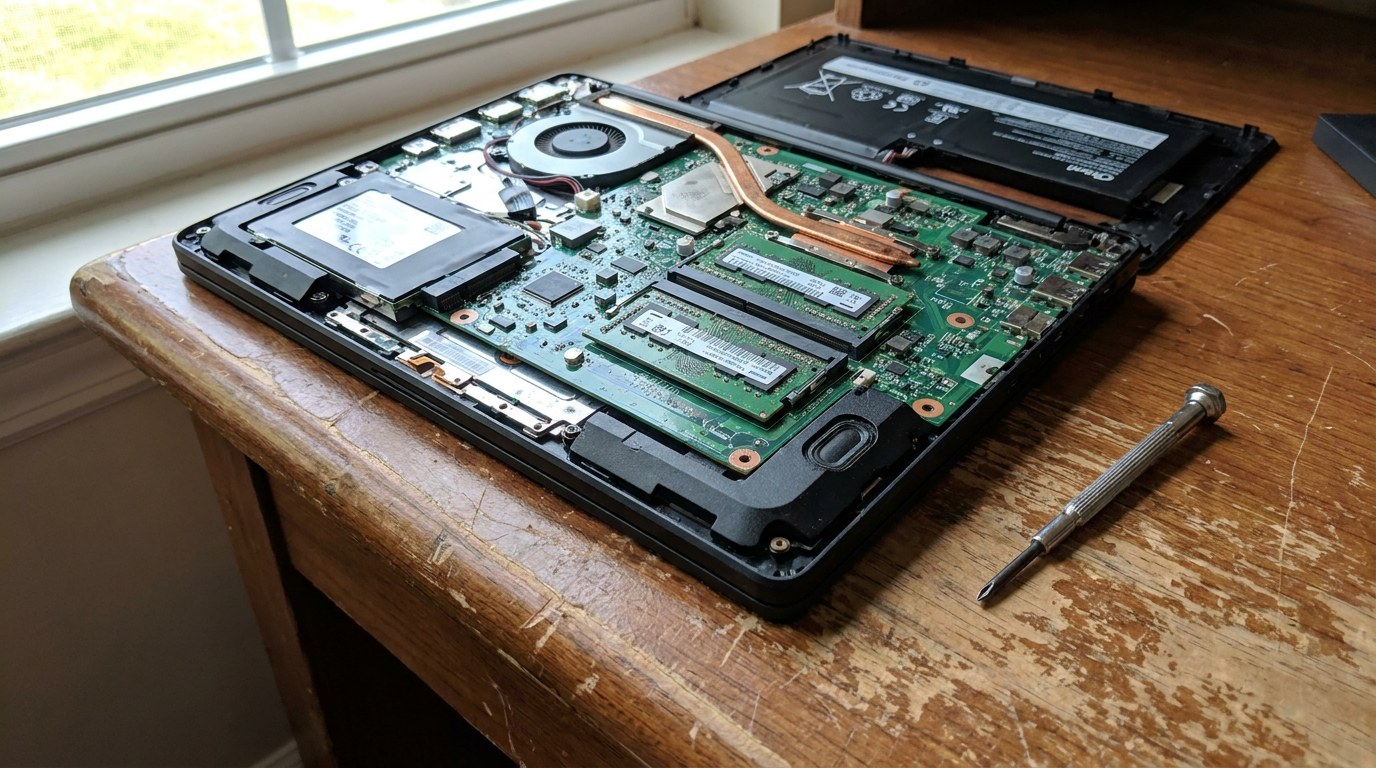
If you do have slots, our walkthrough on how to upgrade laptop RAM covers the physical swap. Check today’s part prices rather than any older estimate, because the market has moved.
RAM prices changed the math this year
Buying extra just in case has become expensive. The price tracker camelcamelcamel shows Crucial’s 16GB DDR5-5600 laptop stick at a $37.04 low on Amazon in May 2025.
Third-party sellers asked $285 for it on November 5, 2026, and Amazon itself had none in stock.
| Capacity | Kit | Price | Per GB |
|---|---|---|---|
| 16GB (2 x 8GB) | Team Group DDR5-6000 | $279.99 | $17.50 |
| 32GB (2 x 16GB) | Corsair Vengeance DDR5-6000 | $499.99 | $15.62 |
| 64GB (2 x 32GB) | Crucial DDR5-5600, ships from Hong Kong | $1,280.00 | $20.00 |
Source: Newegg search listings, November 6, 2026. Per-GB figures are our arithmetic. Prices move daily, so treat these as a snapshot.
Waiting may not rescue you either. TrendForce projected conventional DRAM contract prices, the wholesale rates memory makers charge, up another 10 to 15% in the fourth quarter of 2026.
It also said PC DRAM supply could decline in 2027 as capacity shifts to servers. That is a forecast about wholesale prices rather than retail kits, but it gives you no reason to count on a quick drop.
Our laptop buying calendar covers sale dates, but check the memory configuration before you trust a discount. A cheap 8GB model with soldered memory stays at 8GB for as long as you own it.
16GB or 32GB: how to decide
This is the choice most buyers actually face, and the cost gap makes it worth some honest thought.
- Your peak use in Task Manager stays well under what you have installed.
- You game with little else open.
- You cut HD video, which Adobe pegs at 16 GB.
- You can add RAM later if you need to.
- You edit 4K on the timeline, where Adobe recommends 32 GB or more.
- You run two virtual machines at once.
- You stream or record while you game.
- The laptop has soldered memory and you plan to keep it for years.
Mistakes that waste memory money
The first is expecting more frame rate. EA lists 16 GB on both Battlefield 6 tiers, while its graphics requirements rise between them.
If you already have enough RAM, adding more will not fix a weak graphics card.
Reading a high percentage as a shortage is the second. An operating system puts spare memory to work, so 70% in use on its own proves nothing. Slowdowns and heavy disk activity are the real signals.
The third is planning an upgrade that cannot happen. Plenty of thin laptops have soldered memory, so “I’ll add RAM later” only works if the service manual confirms slots.
Last, do not buy for a workload you only imagine. Local AI is the usual case: small 7b models need at least 8 GB, so try one on what you own before paying for 64GB.
JayzTwoCents takes up the same question with high DDR prices in mind: could you get away with less, and how much is too much?
Common questions about how much RAM you need
Is 8GB of RAM enough?
For browsing, documents and video calls, yes, as long as you keep few things open. Windows 11 itself asks for 4 GB, which leaves little room once a browser is running. On a new Windows laptop you plan to keep for years, 16GB is the safer choice, especially if the memory is soldered.
Is 32GB overkill for gaming?
For gaming alone, usually yes. Battlefield 6 lists 16 GB even at its recommended tier, though 37.06% of Steam users already have 32 GB. It starts to make sense when you stream or keep other heavy apps open while you play, and rarely before that.
Will more RAM make my computer faster?
Only if you are running out now. Once your work fits in memory, extra capacity sits idle. A slow PC with plenty of free memory has a different bottleneck, so run the Task Manager test above before you buy, because a 32GB kit costs $499.99 at the price we checked.
Should I wait for RAM prices to fall?
If what you own still works, you can hold off, but do not expect relief soon. TrendForce expected wholesale contract prices to keep rising through the fourth quarter of 2026, with supply possibly tighter in 2027. If you need a machine now, buy the capacity your Task Manager test supports.