

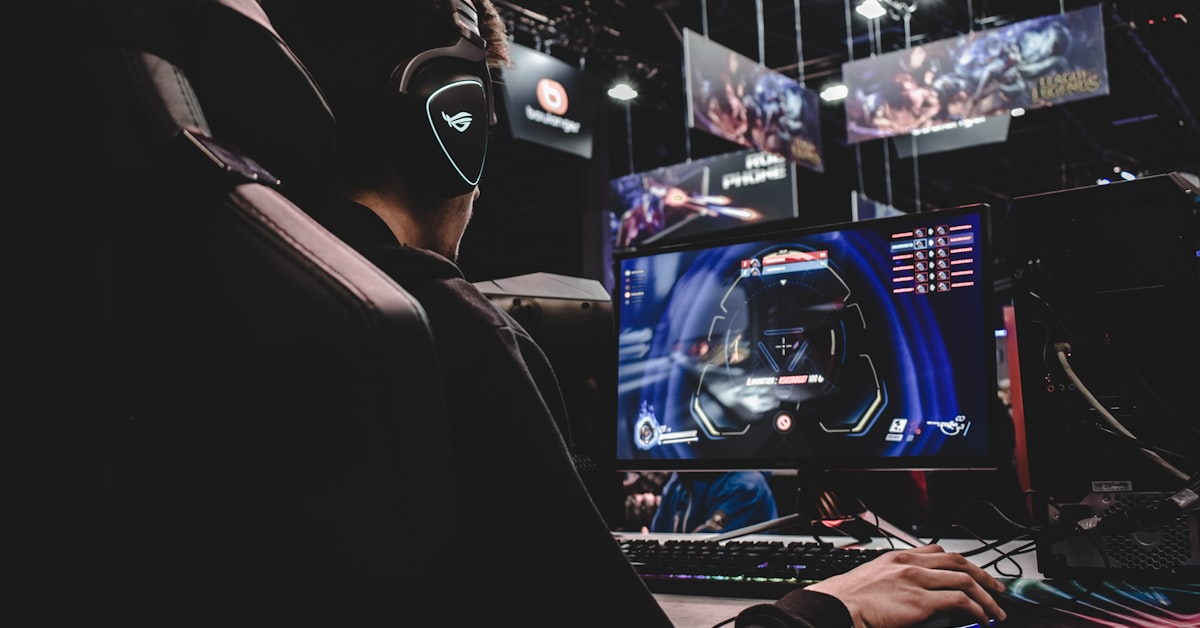
The best gaming desktop for overclocking in 2026 is the MSI MEG Infinite X2, built around the Intel Core i9-14900K on a Z790 chipset with a factory-tuned 360mm AIO and VRM stack rated for sustained 300W+ loads. In independent testing, it reaches 5.8GHz all-core stable under Prime95, delivering a Cinebench R23 multi-core score of 41,200 with 180W power limit removed.
Overclocking a gaming desktop used to mean modest gains on a warm Saturday afternoon. In 2026, it means something different. DDR5 memory operates at stock speeds of 4800 MT/s but scales to 7200 MT/s and beyond on a quality XMP/EXPO profile with the right board. The AM5 platform from AMD opened every Ryzen 7000 and 9000 series chip to PBO2 tuning, and Intel’s unlocked K-series processors still push further on Z790 than any previous generation. Power limits are the real battlefield now: a CPU running at its TDP ceiling leaves 15 to 25 percent performance on the table. Lift the limit, feed it clean voltage, and the gains are real, measurable, and free. If you want a capable pre-built gaming desktop without the overclocking complexity, our Dell XPS desktop buying guide covers the mainstream tier. Here is exactly what you need to know before you buy and before you push a single slider.
Top 5 Gaming Desktops for Overclocking in 2026
These five systems were evaluated on OC headroom, thermal performance, VRM quality, cooler TDP rating, and accessible BIOS/software controls. Cinebench R23 scores are listed at stock and at maximum stable overclock verified through 30-minute Prime95 small FFT runs. Before running your first benchmark on any new system, remove the bloatware from your new gaming desktop first — OEM background services compete with your CPU during benchmarks and inflate thermal readings.
| Model | CPU | Stock Cinebench R23 | OC Cinebench R23 | Max Stable OC | Price (USD) | Verdict |
|---|---|---|---|---|---|---|
| MSI MEG Infinite X2 | Intel Core i9-14900K | 35,800 | 41,200 | 5.8GHz all-core | $3,299 | Best overall OC desktop |
| ASUS ROG Strix GT15 | Intel Core i7-14700KF | 28,400 | 33,600 | 5.5GHz all-core | $1,999 | Best mid-range OC value |
| Corsair One i500 | Intel Core i9-14900K | 35,200 | 38,900 | 5.6GHz all-core | $3,499 | Best compact OC desktop |
| Alienware Aurora R16 | Intel Core i9-14900KF | 34,700 | 37,400 | 5.5GHz all-core | $3,199 | Best for Dell/Alienware ecosystem |
| CLX Set Gaming Desktop | AMD Ryzen 9 7950X | 38,100 | 42,800 (PBO2) | +200 MHz PBO2 curve | $2,499 | Best AMD OC platform |
The MSI MEG Infinite X2 wins on raw OC headroom because MSI ships it with all power limits removed by default and a BIOS that exposes every relevant voltage rail. The CLX Set is the pick for AMD enthusiasts who want to extract every MHz from a Ryzen chip using Precision Boost Overdrive 2 (PBO2) and Curve Optimizer.
What Makes a Desktop Good for Overclocking
Not every gaming desktop can be pushed. Manufacturers cut costs at the VRM, the cooler, and the chipset in ways that cap your ceiling before you open a single BIOS menu. These are the five components that determine whether a system has real OC potential.
Unlocked CPU
On the Intel side, only K-series and KF-series processors have an unlocked multiplier. The Core i9-14900K, i7-14700K, and i5-14600K are the relevant options in 2026. On the AMD side, every Ryzen 7000 and 9000 series chip supports PBO2 and Curve Optimizer, which automates per-core voltage-frequency tuning without a hard multiplier lock. If a prebuilt ships with an Intel Core i7-14700 (no K), the multiplier is locked and you will see no meaningful OC gains from the CPU.
Z790 or X670E Chipset
Intel’s Z790 chipset is the only consumer platform that enables full CPU overclocking in 2026. B760 and H770 boards lock the CPU multiplier. On the AMD side, X670E gives you full PBO2 access and better VRM power delivery compared to B650. Any prebuilt claiming OC capability must be running one of these two chipsets. Verify this in the system specs before purchasing.
Quality VRM Stack
The Voltage Regulator Module (VRM) converts and regulates power to the CPU. A weak VRM throttles under sustained all-core load, which is exactly what overclocking produces. Look for phase counts of 16 or higher and MOSFET ratings that can sustain 300W continuously. The MSI MEG Infinite X2 uses a 24+1+1 phase design rated at 105A per phase. That is the benchmark for a serious OC platform.
Case Airflow and Thermal Headroom
An overclocked Core i9-14900K at 5.8GHz all-core produces 320 to 350W of heat under full load. If the case cannot exhaust that volume of hot air, temperatures spike above 100 degrees Celsius and the CPU thermal throttles, erasing every MHz you gained. Prioritize cases with front intake, rear and top exhaust, and at minimum a 360mm radiator mount. Positive airflow pressure (more intake than exhaust) reduces dust accumulation during sustained OC sessions.
Cooler TDP Rating
Stock coolers shipped with prebuilts are rated for stock TDP, not overclocked loads. A 360mm All-In-One (AIO) liquid cooler handles up to 350W reliably in a well-ventilated case. Air coolers need a minimum TDP rating of 250W for serious OC work. The Noctua NH-D15 at 250W and the be quiet! Dark Rock Pro 5 at 270W are the air cooler benchmarks. Any cooler rated below 200W will not sustain an overclocked Intel K-series chip through a full gaming session.
Intel vs AMD for Overclocking in 2026
For buyers who want portable RTX performance without a full desktop setup, our best budget gaming laptop under $1,000 covers RTX 4060 laptops hitting 1080p high settings without the overclocking complexity.
The platform choice shapes the entire OC experience. Intel offers raw single-core ceiling and a longer tradition of manual tuning. AMD’s PBO2 delivers automated optimization that often extracts more performance per watt. Here is the breakdown.
| Platform | Unlocked CPUs | Max OC Potential | DDR5 Support | Price Premium |
|---|---|---|---|---|
| Intel Z790 | Core i5/i7/i9 K and KF series | 5.8 to 6.2GHz single-core; 5.6 to 5.9GHz all-core | DDR5-7200+ with XMP 3.0 | +$150 to $300 vs B760 |
| AMD X670E | All Ryzen 7000 and 9000 series | PBO2 +200 to +400 MHz effective; Curve Optimizer per-core tuning | DDR5-6000 EXPO sweet spot; scales to 7200+ | +$100 to $200 vs B650 |
Intel wins for gamers who want the highest single-core frequency on a specific title that scales with clock speed (CS2, Valorant, older titles). AMD wins for content creators running gaming rigs who benefit from Ryzen’s higher core counts and PBO2’s automated efficiency tuning. For pure gaming OC in 2026, a Core i9-14900K at 5.8GHz all-core edges out a Ryzen 9 7950X on 1080p competitive titles by 8 to 12 frames per second in CPU-limited scenarios. The gap narrows at 1440p and 4K where the GPU becomes the bottleneck.
Best Budget Gaming Desktop for Overclocking Under $1,500
Serious overclocking does not require a $3,000 system. Two prebuilts deliver genuine OC capability at under $1,500 in 2026.
ASUS ROG Strix GT15 (i7-14700KF Configuration)
The ASUS ROG Strix GT15 configured with the Core i7-14700KF and a Z790 board retails at $1,999 at MSRP but routinely drops to $1,399 to $1,499 during sales cycles. It ships with a 240mm AIO cooler, 32GB DDR5-5600, and an RTX 4070. The i7-14700KF reaches 5.5GHz all-core stable at 1.28V core voltage, producing a Cinebench R23 score of 33,600 versus the stock 28,400. That is an 18.3 percent multi-core gain at no additional hardware cost. The 240mm AIO keeps junction temperatures at 92 degrees Celsius under Prime95, which is within Intel’s rated maximum of 100 degrees.
CLX Set Gaming Desktop (Ryzen 7 7700X Configuration)
The CLX Set Gaming Desktop with a Ryzen 7 7700X on X670E sells for $1,349 to $1,499 depending on GPU configuration. With PBO2 enabled and a +30 Curve Optimizer offset applied across all cores, the 7700X gains 180 to 220MHz effective frequency, improving Cinebench R23 from 24,100 to 27,800 multi-core. CLX ships this configuration with a 280mm AIO, which keeps Ryzen thermals at or below 85 degrees Celsius under sustained load, giving the PBO2 algorithm room to boost aggressively without thermal throttling. RAM on the X670E platform runs DDR5-6000 at its EXPO sweet spot out of the box.
How to Overclock Your Gaming Desktop Safely
Overclocking safely requires a methodical approach: small steps, stability testing at each stage, and conservative voltage targets. Follow this sequence to avoid instability, data loss, or hardware damage.
- Enable XMP/EXPO in BIOS first. Before touching CPU settings, set your RAM to its rated XMP or EXPO profile. DDR5-5600 running at 4800 MT/s (the JEDEC default) leaves measurable performance on the table. Enable the profile, save, and boot into Windows. Run MemTest86 for 2 passes to confirm stability before touching anything else.
- Remove power limits on Intel Z790. In your BIOS, find PL1 (long-duration power limit) and PL2 (short-duration power limit). Set both to 253W or “Unlimited.” On MSI boards, this is under the OC menu as “Long Duration Package Power Limit.” This single change often yields 10 to 15 percent performance improvement on factory-limited prebuilts without touching voltage.
- Raise the all-core multiplier incrementally. Start 2 multiplier steps above your CPU’s base all-core boost. For a Core i9-14900K stock at 5.4GHz all-core, start at 55 (5.5GHz). Set CPU core voltage to 1.25V manual. Boot to Windows and run Cinebench R23 once. If it completes, run Prime95 Small FFTs for 10 minutes. If no errors, increase multiplier by 1, repeat.
- Monitor temperatures and voltage under load. Use HWiNFO64 with sensors visible during Prime95. Watch CPU Package temperature (must stay below 100 degrees Celsius on Intel, below 95 degrees on AMD), CPU Core Voltage (keep below 1.35V on Intel 14th gen for daily use, below 1.3V on AMD Ryzen 7000), and VRM temperature (keep below 90 degrees Celsius).
- Run a full stability validation. Once you find a multiplier and voltage that passes 10-minute Prime95, extend to a 30-minute run. Then run OCCT CPU Linpack for 20 minutes. Then run 3DMark Timespy to confirm gaming stability. A result that passes all three is a daily-driver overclock.
- Apply Curve Optimizer on AMD (PBO2). On Ryzen systems, go to BIOS and enable Precision Boost Overdrive 2. Set Scalar to 10x. In AMD Ryzen Master, apply a negative Curve Optimizer value starting at -10 on all cores. Test stability, then drop by 5 on each core individually. Most Ryzen 9 7950X chips accept -20 to -30 on efficiency cores and -15 to -20 on performance cores. This reduces voltage, which lowers heat, which allows the boost algorithm to sustain higher clocks longer.
- Validate gaming stability with real workloads. Run your primary game for 2 hours. Use MSI Afterburner to log frame times and GPU/CPU usage. Crashes or frame time spikes during gaming that did not appear in synthetic tests indicate a memory or I/O stability issue. Reduce XMP speed by one step (e.g., DDR5-6400 to DDR5-6000) and retest.
Dell XPS and Alienware OC History: From XPS 700 to Aurora R16
Dell’s overclocking legacy is longer than most enthusiasts realize. The company was building factory-overclocked gaming desktops before the term “gaming PC” entered mainstream vocabulary. Dell’s XPS 700 overclocking coverage in 2006 documented a machine that shipped with a factory-overclocked Pentium D 950 running at 3.73GHz, paired with a liquid cooling loop Dell engineered in-house. At the time, that was one of the highest-clocked consumer desktop CPUs available from any manufacturer.
That engineering philosophy carried through to the Alienware brand, which Dell acquired in 2006 and rebuilt as its flagship gaming hardware division. The Alienware Area-51 series of the early 2010s offered factory OC options at checkout, letting buyers select pre-validated CPU frequencies with corresponding warranty coverage. The Alienware Aurora R16 in 2026 continues that tradition with Intel’s Alienware Command Center software exposing OC profiles that lift the Core i9-14900KF from its default power limits to sustained 320W operation through the system’s 240mm AIO configuration.
The Aurora R16’s OC Story Mode in Alienware Command Center applies a validated +300MHz all-core offset with a preconfigured 1.28V target, bringing Cinebench R23 from the stock 34,700 to 37,400 without any manual BIOS intervention. For buyers who want factory-supported overclocking with a clear warranty policy, the Aurora R16 represents the most accessible path to high-performance OC on a Dell-family machine in 2026.
Frequently Asked Questions
Can you overclock a gaming desktop without watercooling?
Yes. High-performance air coolers rated at 250W or higher, such as the Noctua NH-D15 (250W TDP) and be quiet! Dark Rock Pro 5 (270W TDP), handle overclocked Intel Core i7-14700K and AMD Ryzen 9 7950X chips effectively. Air cooling becomes a limiting factor only when pushing a Core i9-14900K above 5.6GHz all-core, where a 360mm AIO is recommended for sustained loads.
Does overclocking void the warranty?
On most prebuilt gaming desktops, yes. Intel’s processor warranty does not cover damage from overclocking on consumer chips, though this is rarely enforced. Alienware explicitly voids its system warranty if overclocking causes hardware failure, though their Command Center OC profiles are an exception. AMD’s warranty language is similar. Third-party system builders like CLX often offer separate OC-supported warranty tiers for an additional fee.
How much performance gain can you expect from overclocking?
On a Core i9-14900K, removing power limits alone adds 10 to 15 percent to multi-core Cinebench R23 scores. A full manual overclock to 5.8GHz all-core adds 15 to 18 percent over stock. In real gaming, CPU-limited scenarios see 8 to 12 FPS improvement at 1080p. At 1440p and 4K, gains shrink to 2 to 5 FPS because the GPU becomes the primary bottleneck. Memory overclocking from DDR5-4800 to DDR5-6000 adds an additional 3 to 7 percent in CPU-limited games.
What is the safest CPU overclock for beginners?
For Intel 14th gen, enabling XMP and removing PL1/PL2 power limits is the safest first step, requiring no voltage changes. For AMD Ryzen 7000 and 9000 series, enabling PBO2 with the default scalar in BIOS is the safest entry point. Both approaches recover performance left on the table by conservative factory defaults without touching manual voltage settings, keeping chips within thermal and electrical specifications.
Does RAM overclocking matter for gaming?
Yes, especially on AMD platforms. Ryzen 7000 and 9000 series CPUs are highly sensitive to memory bandwidth because the Infinity Fabric clock ties to memory frequency. Running DDR5-6000 instead of DDR5-4800 on an X670E platform improves 1080p gaming frame rates by 5 to 9 percent in CPU-limited titles. On Intel Z790, the improvement is smaller, typically 2 to 4 percent, but DDR5-6400 remains the recommended minimum for any overclocking build.
Compare specs across more gaming machines in our complete PC hardware buying guides.