

.jpg)
On Windows 11, open Settings, choose Apps, then Installed apps, and uninstall what you do not want. Microsoft says some apps are built into Windows and cannot be uninstalled, so leave those alone, and preview any PowerShell removal before you run it.
Do it to cut clutter and risk, not for speed. In July 2006 a Dell software manager wrote that lab tests had found no significant improvement from removing software trials, and we found no verified benchmark that says otherwise.
DellOne2One is an independent publication. It has no affiliation, partnership, sponsorship or relationship of any kind with Dell Inc. or Dell Technologies, and is not endorsed by them. Dell and all related product names and logos are trademarks of Dell Inc. and are used here only to identify products and history.
What counts as bloatware on a new laptop?
Wikipedia describes unwanted factory-installed software as programs the manufacturer was often paid to include, of dubious value to the buyer. It adds that a Microsoft executive said the company internally called them “craplets.”
Some of it is clutter and some is dangerous. CISA’s alert TA15-051A says Lenovo pre-installed Superfish VisualDiscovery on some PCs from September 2014, and that it installed a non-unique trusted root certificate that allowed an attacker to spoof HTTPS traffic, as the CISA alert explains.
So sort by risk. A pinned game wastes space; software that intercepts your browser traffic, as Superfish did, is a security problem.
Will removing bloatware make your laptop faster?
Probably not by much. In its July 21, 2006 post “No Bloatware, Please,” Dell said its lab performance tests “have not found significant improvements by removing software trials and other executables,” and that most of its software “sits quietly on the desktop until you launch it.”
The post named the operating system and security applications as two culprits in Dell’s labs. That is 2006 testing, long before Windows 11, and we found no independent Windows 11 measurement that contradicts it.
We found no verified boot-time or RAM-saving figures for removing bloatware, so we give none.
The documented lever is startup. Microsoft says apps that run automatically at startup can affect startup speed and overall performance, and you can switch them off under Settings, Apps, Startup or in Task Manager, which also shows each app’s startup impact.
How do you remove preinstalled apps in Windows 11?
- Select Start, then Settings, then Apps, then Installed apps. Find the app, select More, then Uninstall. This is Microsoft’s own method.
- If Settings does not offer Uninstall for an app, Microsoft says to try Control Panel: Programs, then Programs and Features, then Uninstall.
- If a preinstalled third-party Store app survives both routes and you can name it, open PowerShell and list it first with
Get-AppxPackage -Name "*ExampleName*". Package names vary, so adjust the wildcard to what you see. - Check that the list names only the package you mean. Then preview with
Get-AppxPackage -Name "*ExampleName*" | Remove-AppxPackage -WhatIf, and run it again without-WhatIfonly if the preview matches. - Run the list command again to confirm the package is gone.
- Open Settings, Apps, Startup and switch off launchers you do not need, then restart. Leave antivirus and anything you cannot identify switched on.
Microsoft’s Remove-AppxPackage page says -AllUsers needs administrator permissions and removes the package for every account. We found nothing on that page about which packages are safe to remove.
We could not confirm what depends on specific Windows packages, so we list none as safe to remove. Remove only what you can name.
We link no bulk removal tool. One that deletes dozens of packages at once can delete the wrong one, and we have tested none.
Which preinstalled apps are safe to remove?
| Item | Remove? | What you lose or must check | Source |
|---|---|---|---|
| Trial antivirus | Yes, if you do not pay for it | Microsoft says Defender is disabled automatically while a non-Microsoft antivirus is primary, and can be re-enabled automatically when that product expires or is uninstalled. Afterward open Windows Security and confirm protection is on before you browse. | Microsoft Learn |
| Ad or search add-ons that touch browser traffic | Yes, at once | We found no upside. Superfish shows the risk. | CISA TA15-051A |
| Maker support apps, such as HP Support Assistant | Optional | HP describes it as automated support, updates and fixes. HP offers it for download, so removing it should be reversible. | HP Support |
| OneDrive | Only if it lets you | Microsoft says it is built into some Windows versions and cannot be uninstalled, only hidden. Where you can uninstall it, files held online are not lost. | Microsoft Support |
| Apps with no Uninstall option | Leave alone | Microsoft says some apps are built into Windows and cannot be uninstalled. | Microsoft Support |
| Drivers and hardware tools from the maker | Keep until you know | Microsoft notes maker recovery images carry hardware-specific drivers and factory apps that generic Windows media may lack, so you may not get them back. | Microsoft Support |
We left out rows for Dell and Lenovo support utilities because we could not open their support pages to confirm what each does.
Does a factory reset or clean install remove bloatware?
A reset may not remove it. Microsoft says Reset this PC reinstalls Windows and lets you keep your personal files or remove everything, but it does not say whether your maker’s apps come back. Check Installed apps afterward.
Microsoft’s recovery guide calls Reset this PC the most disruptive option and says to try the others first. It also warns that some recovery options can cause data loss, so back up your important files before you start.
A clean install from Microsoft’s Windows 11 download page needs a blank USB flash drive of at least 8 GB, which the process erases. The media creation tool covers x64 processors only, and Microsoft says to back up your PC before you start.
The cost is drivers. Generic media may lack the ones a maker image carries, so download them from your maker’s support page before you wipe.
Pros and cons of removing preinstalled software
| What you gain | What you risk |
|---|---|
| Less software that serves ads or touches browser traffic, as Superfish did, plus fewer startup entries if you also switch them off. | Losing maker tools you later need, and a PowerShell-removed package that may be hard to restore; we did not test reinstalling one. A speed gain is unproven. |
If a slow laptop is the real problem, work through how to fix a slow laptop and the laptop RAM upgrade guide. For battery habits, read our laptop battery safety guide.
What did Dell say about bloatware in 2006?
The blog Dell ran at this domain published “No Bloatware, Please” on July 21, 2006, by Michelle Pearcy, WW Client Software Manager. It said Dell offered a “Limited software install” on many XPS gaming and small business systems, with only the operating system and antivirus or antispyware loaded.
It also said that on Dimension and Inspiron PCs bought since April, the desktop had fewer than 10 icons instead of 21, depending on configuration. The archived post includes the reader comments.
Readers pushed back. One wrote that Dell gets paid to bundle software and said he would pay more to avoid it; another named the third-party “PC De-Crapifier” as a workaround. Wikipedia adds that Dell defended preinstalled software at CES 2007 as a way to keep costs down.
The vlog entry is in our One2One video archive, the background in our history of the Dell One2One blog, and more laptop guides in PC hardware.
What could we not verify?
The archived 2006 post names Michelle Pearcy as its author, and we found no source for a Dell paid-removal program, so we describe none.
We could not confirm what a reset restores on your model or which Windows packages other software depends on. We found no source for a Defender detection rate, so we give none.
Frequently asked questions
Is it safe to remove bloatware from a new laptop?
Uninstalling third-party apps through Settings, Apps, Installed apps is Microsoft’s documented method. Leave apps that show no Uninstall option, since Microsoft says some are built into Windows, and keep drivers, maker tools and security software until you know what they do.
Will removing bloatware speed up my laptop?
A 2006 Dell lab test reported no significant improvement from removing software trials, and we found no verified Windows 11 benchmark. Microsoft says startup apps affect startup speed and overall performance, so check Settings, Apps, Startup first and switch off only what you can identify.
Does a factory reset remove bloatware?
Microsoft says Reset this PC reinstalls Windows and lets you keep personal files or remove everything, but it does not say whether your maker’s apps return. A clean install from Microsoft’s media may leave out the maker’s apps, at the cost of drivers you must reinstall.
What if you remove the wrong app?
Check the maker’s support page first; HP, for example, offers HP Support Assistant for download. If something in Windows breaks, Microsoft’s recovery options include System Restore, which rolls back system files and settings but not personal files, and reinstalling Windows.
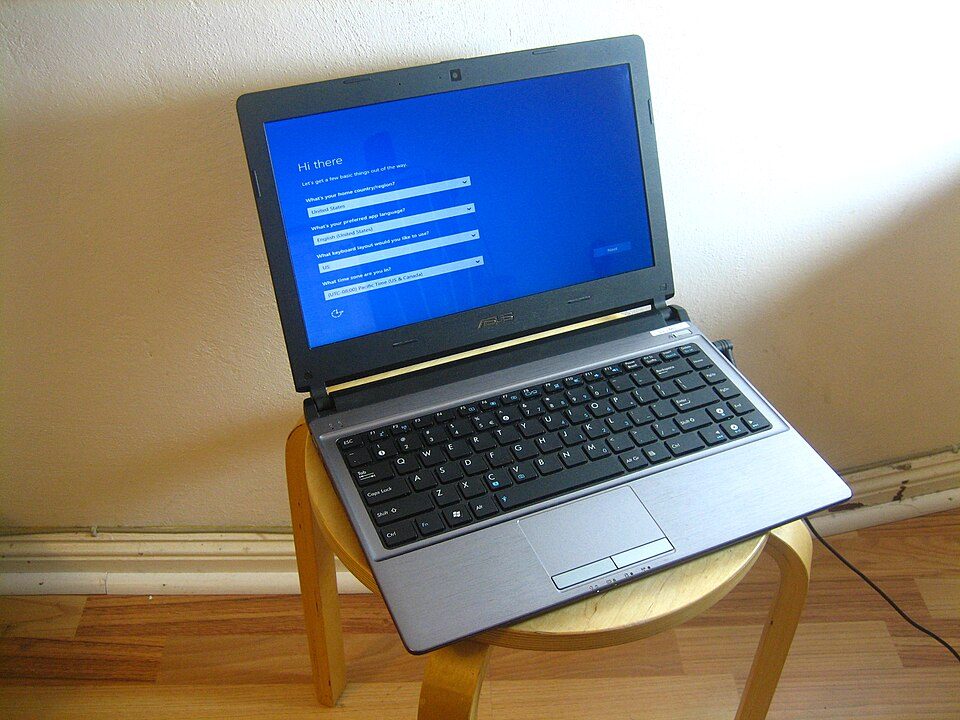
Featured image: a laptop at the first-run Windows setup screen. Photo by I G, Wikimedia Commons, CC BY 2.0.