

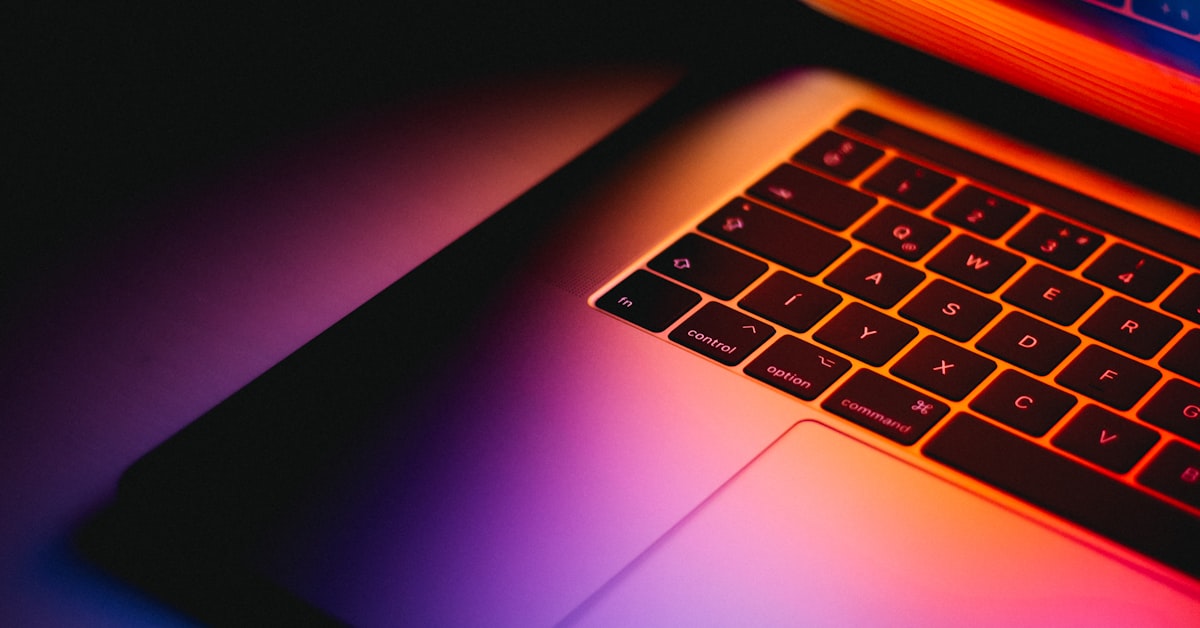
The Dell XPS 13 Plus Developer Edition is a certified Ubuntu laptop that ships with Ubuntu 22.04 LTS pre-installed, starting at $1,349. It is the right buy if you want Ubuntu working out of the box without configuring suspend, Wi-Fi firmware, or webcam drivers. It is the wrong buy if you expect standard laptop repairability or need more than 32GB of soldered RAM.
Dell has sold Ubuntu-certified laptops since its original Linux partnership with Canonical in 2006. The XPS 13 Plus Developer Edition is the current flagship of that line. Whether it justifies a $150-$200 premium over buying a standard XPS 13 Plus and installing Ubuntu yourself depends entirely on how you value your time and warranty coverage.
Dell XPS 13 Plus Developer Edition 2026 Specs
| Component | Spec |
|---|---|
| Processor | Intel Core i7-1260P (12C/16T) or i7-1280P (14C/20T) |
| Display options | 13.4-inch 3.5K OLED 60Hz or FHD+ IPS 60Hz |
| RAM | 16GB or 32GB LPDDR5 (soldered, not upgradeable) |
| Storage | 512GB or 1TB M.2 2230 NVMe (user-replaceable) |
| Battery | 55Wh, 60W USB-C charging |
| Weight | 1.26kg (2.78 lbs) |
| Ports | 2x Thunderbolt 4, 1x USB-C 3.2, headphone jack (no USB-A) |
| OS pre-installed | Ubuntu 22.04 LTS (Canonical certified) |
| Warranty | 1-year ProSupport (upgradeable) |
| Starting price | $1,349 (i7-1260P, 16GB, 512GB, FHD+) |
Developer Edition vs DIY Ubuntu on Standard XPS 13 Plus
If you already own a standard XPS 13 Plus and want to install Ubuntu manually, our Ubuntu Dell laptop setup guide covers the complete 12-step process including Secure Boot configuration, Wi-Fi firmware, and post-boot driver verification. The table below quantifies what the $150-$200 Developer Edition premium actually buys you.
| Feature | XPS 13 Plus Developer Edition | Standard XPS 13 Plus + DIY Ubuntu |
|---|---|---|
| Suspend/resume fix | Pre-applied | Manual: add mem_sleep_default=deep to grub |
| Wi-Fi firmware | Intel AX211 firmware pre-installed | May need manual firmware-iwlwifi install |
| IPU6 webcam | Working (kernel patch applied) | Broken on Ubuntu 22.04, needs 23.10+ or manual patch |
| Fingerprint reader | Working via fprintd | Not functional on Ubuntu without manual libfprint patch |
| Ubuntu Advantage | Included (90 days) | Not included |
| Canonical certification | Full hardware certification | None |
| Dell warranty on Linux | Covered with Ubuntu | Grey area: Windows license required for full warranty |
| Windows license | Not included | Included in standard model |
| Price delta | +$150-$200 vs standard | Baseline |
| Setup time | Boot, update, work | 2-6 hours for full driver resolution |
If you are still deciding between Ubuntu and Fedora for your development environment, our Fedora vs Ubuntu workstation comparison covers every dimension that affects daily coding workflows, from package management speed to NVIDIA driver setup.
Real-World Performance: Battery, Thermals, and Speed
Battery life on Ubuntu 22.04 LTS with TLP installed averages 7-9 hours for coding work (VS Code, terminal, browser with 10-15 tabs). Video conferencing drops that to 4-5 hours. The 55Wh battery is smaller than competitors like the ThinkPad X1 Carbon (57Wh) and Framework 13 (61Wh), which shows in extended sessions away from power.
Thermals are managed aggressively. The i7-1260P sustains 25-28W under sustained compile loads, which keeps skin temperature on the bottom chassis under 42C in a 23C room. The fanless bottom design means heat dissipates through the keyboard deck, which some developers find distracting during long builds. A Linux kernel compile (make -j8) completes in 18-22 minutes in performance mode, 35-40 minutes in power-saver mode via TLP.
Cinebench R23 multi-core scores land between 8,800 and 9,400 depending on thermal headroom and ambient temperature. This is competitive with the M2 MacBook Air single-core performance but falls short of M3 multi-core. For CPU-bound development tasks like Rust compilation or data processing, the difference is real but not workflow-limiting for most projects.
Display Quality for Developers
The 3.5K OLED display (3456×2160) is the best reason to pay the premium over the FHD+ option. Color accuracy is excellent at DCI-P3 100% coverage, making it viable for design review work alongside code. Contrast is infinite, which means dark-theme code editors look substantially better than on IPS panels.
HiDPI scaling on Ubuntu 22.04 requires manual configuration. The correct approach: gsettings set org.gnome.desktop.interface scaling-factor 2 for 200% scaling, then adjust individual apps via XCURSOR_SIZE=24 and fractional scaling via GNOME’s experimental settings if you need 150%. The process is documented but not automatic. Fractional scaling in Wayland on Ubuntu 22.04 still causes occasional blurry rendering in Electron apps like VS Code and Slack without the --enable-features=UseOzonePlatform --ozone-platform=wayland flags.
The glossy OLED surface reflects office lighting in bright rooms. If you work near windows or under overhead fluorescent lighting, the FHD+ IPS matte option is the more practical daily choice despite its inferior color accuracy.
Keyboard and Trackpad: Where It Gets Complicated
The XPS 13 Plus keyboard has 0.7mm key travel, which is below the 1.0-1.5mm range most developers prefer for extended typing. The keys are large and well-spaced, which partially compensates. Most developers adapt within a week, but if you type more than 6 hours a day, this is a genuine ergonomic consideration that the ThinkPad X1 Carbon (1.5mm travel) handles better.
The haptic touchpad is the most polarizing hardware decision Dell made. It is not a mechanical button: it simulates click feedback via vibration motors. On Linux, the click-and-drag behavior has a documented bug where releasing a drag occasionally fails to register. The workaround is enabling tap-to-click in GNOME settings and avoiding click-drag entirely. Most developers use an external mouse for precision work, which makes this less critical than it sounds, but it is worth knowing before you buy.
What Ubuntu Certification Actually Means
Canonical’s certification process tests suspend/resume across 20+ cycles, Wi-Fi stability over 8 hours, Bluetooth pairing, USB-C power delivery, display output via Thunderbolt, and audio in/out. Hardware that passes receives the Ubuntu Certified badge and gets driver fixes backported to the certified Ubuntu LTS version for the hardware’s support lifetime.
What certification does not cover: newer Ubuntu versions than the certified one, third-party applications, Snap performance, or ML workloads. The XPS 13 Plus Developer Edition is certified for Ubuntu 22.04 LTS through 2027 (standard support) and 2032 (ESM). Upgrading to Ubuntu 24.04 LTS works but is not officially certified, which matters if you are in a compliance environment.
Dell XPS 13 Plus vs Framework Laptop 16 on Linux
| Comparison | Dell XPS 13 Plus Dev Edition | Framework Laptop 16 |
|---|---|---|
| Price | $1,349 – $1,649 | $1,049 – $1,999 (DIY) |
| Ubuntu support | Canonical certified, pre-installed | Community supported, no certification |
| Repairability | SSD only (M.2 2230) | Full: CPU, RAM, battery, ports, display |
| RAM | Up to 32GB soldered | Up to 96GB DDR5 upgradeable |
| Cinebench R23 (MT) | ~9,200 (i7-1280P) | ~22,000 (Ryzen 7940HS) |
| Battery (Ubuntu) | 7-9 hours coding | 5-7 hours coding |
| Weight | 1.26kg | 2.1kg |
| Display | 3.5K OLED or FHD+ IPS | 2560×1600 IPS (165Hz) |
| GPU option | Intel Iris Xe only | AMD RX 7700S expansion bay |
| Verdict | Best for portability + certified Linux | Best for performance + repairability |
For developers who want the lightest certified Linux laptop with the best OLED display, the XPS 13 Plus Developer Edition wins. For developers who run heavy compile workloads, need upgradeable RAM, or want a GPU for ML experiments, the Framework Laptop 16 is the stronger purchase despite its Ubuntu support being community-maintained rather than Canonical-certified. See our best Linux laptops for developers for a full comparison across more models.
FAQ
Does Dell XPS 13 Plus Developer Edition come with Ubuntu?
Yes. The Dell XPS 13 Plus Developer Edition ships with Ubuntu 22.04 LTS pre-installed and Canonical-certified. This means suspend, Wi-Fi, webcam, and fingerprint reader are pre-configured to work without manual driver installation. It does not include a Windows license. If you need Windows alongside Ubuntu, you will need to purchase a license separately.
Is Dell XPS 13 Plus good for programming?
Yes for most programming workflows. The i7-1260P handles Python, JavaScript, Go, and Rust compilation well. The 3.5K OLED display is excellent for long coding sessions. The limitations: 32GB is the RAM ceiling (soldered), the 0.7mm keyboard travel takes adjustment, and the haptic trackpad has a known click-drag bug on Linux. Heavy C++ or ML training workloads will find it slower than larger laptops.
How long does the battery last on Dell XPS Developer Edition?
Expect 7-9 hours for typical coding work (IDE, terminal, browser with 10-15 tabs) on Ubuntu 22.04 LTS with TLP battery management installed. Video conferencing reduces this to 4-5 hours. The 55Wh battery is smaller than most competitors in this price range. The 60W USB-C charger fully charges from empty in approximately 1 hour 45 minutes.
Can I replace the SSD in Dell XPS 13 Plus?
Yes, the M.2 2230 NVMe SSD is user-replaceable. You will need a T5 Torx screwdriver and a plastic pry tool to remove the bottom cover. The 2230 form factor is less common and more expensive than 2280 drives, but options from WD (SN740), Samsung (PM991a), and Sabrent are available. RAM is soldered to the motherboard and cannot be upgraded after purchase.
Is the XPS 13 Plus haptic touchpad compatible with Linux?
Partially. Basic clicking and scrolling work correctly. Click-and-drag has a documented bug where the drag release occasionally fails to register, making operations like selecting text blocks unreliable. The practical fix is enabling tap-to-click in GNOME settings and using an external mouse for precision work. Dell has acknowledged this and firmware updates have improved but not fully resolved the behavior.