

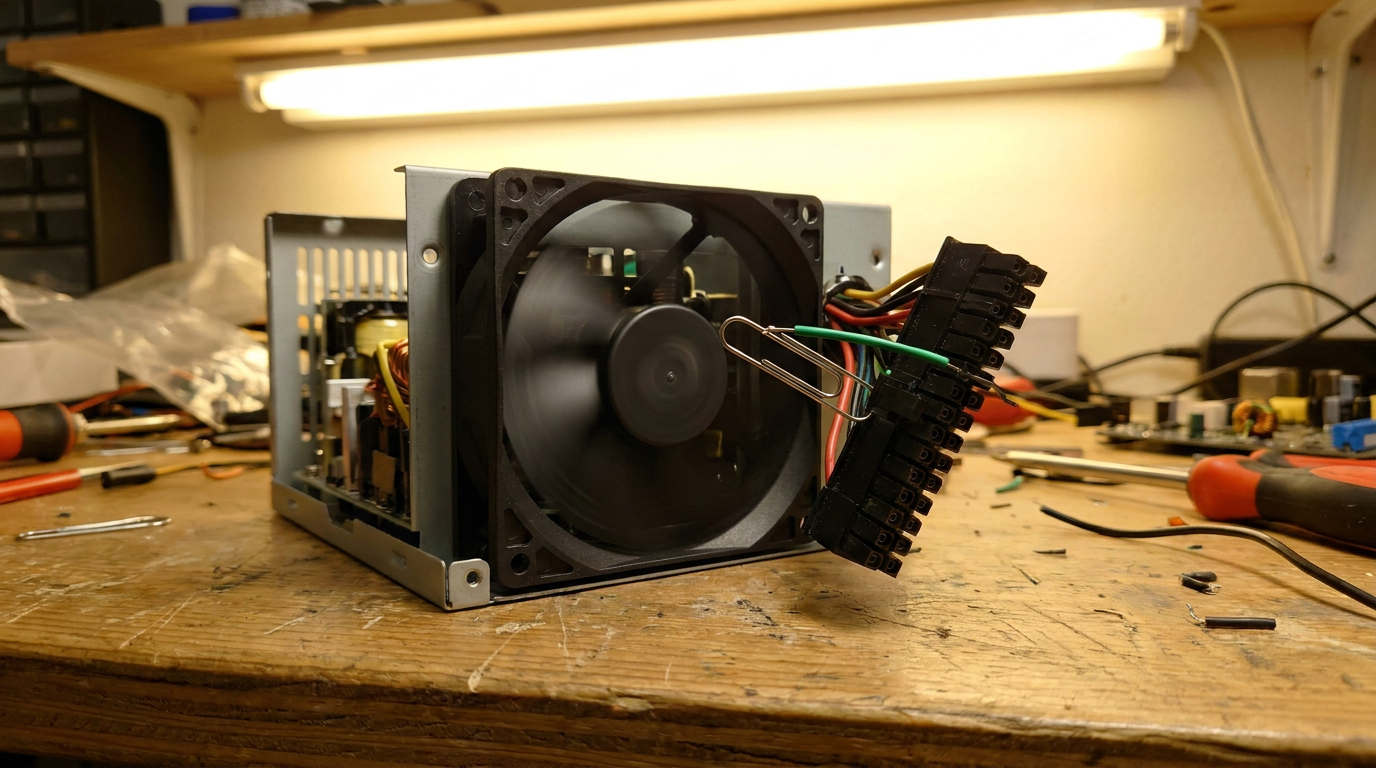
You can test a power supply without a multimeter by using the paperclip trick: unplug the PSU, bend a paperclip into a U shape, bridge the green wire (PS_ON) and a black ground wire on the 24-pin connector, then flip the PSU switch on. If the fan spins, the unit is producing power.
That test only tells you the PSU turns on, not whether its rails are stable. A multimeter lets you check the actual 3.3V, 5V, and 12V outputs for a more reliable diagnosis.
The Paperclip Test: No Multimeter Needed
Every ATX power supply waits for a signal on the green PS_ON wire before it powers up. Motherboards send that signal automatically. A paperclip fakes it manually.
- Unplug the PSU from the wall and disconnect it from the motherboard and every drive.
- Bend a paperclip into a U shape.
- On the 24-pin ATX connector, insert one end into the green wire and the other into any adjacent black (ground) pin.
- Plug the PSU back in, flip the rear switch on, and watch the fan.
A fan that spins up and stays running means the unit is alive. Silence, a stutter, or a fan that dies after a second points to a dead or failing PSU. This confirms the PSU switches on, nothing more, which is why a system stuck on the BIOS boot screen often needs a second check before you rule the PSU in or out.
How to Test a Power Supply With a Multimeter
A multimeter checks whether the PSU holds real voltage on its main rails: 3.3V, 5V, and 12V, the three standard ATX outputs.
- Run the paperclip jump-start first so the PSU is actively powered.
- Set the multimeter to DC voltage mode.
- Touch the black probe to a ground pin and the red probe to a colored pin: red should read close to 5V, yellow close to 12V, orange close to 3.3V.
- Check a couple of the SATA or Molex connectors too, to confirm the rails hold steady away from the main connector.
Anything within about 5% of rated voltage is normal. A 12V rail reading 11.3V or lower, or one that jumps around instead of holding steady, points to a PSU that is degrading even if the fan spins fine.
Safety First, Then Reading the Results
A power supply’s capacitors hold a charge even after you unplug it, so never open the case itself. Unplug the PSU from the wall and flip the rear switch off before touching any wires. If you smell burning, see scorch marks, or spot bulging capacitors on the vents, skip testing and replace the unit.
No fan movement or smell of ozone during the paperclip test means the unit is dead. A multimeter rail sagging well below spec means it is failing and should be replaced before it damages other components. Rule out simpler causes too: checking what a BIOS actually does catches firmware issues, and dust buildup can mimic PSU failure, so cleaning a laptop fan covers that other common cause of random shutdowns.
Frequently Asked Questions
Can you test a power supply while it is still connected to the motherboard?
Some builders leave the 24-pin connector plugged in and watch whether the system posts. Disconnecting the PSU and jump-starting it standalone gives a cleaner result, since a bad motherboard cannot mask a working PSU.
Is the paperclip method safe for the power supply?
Yes, as long as you bridge only the green PS_ON pin to a ground pin. Bridging the wrong pins can short the unit, so check wire colors against the connector before inserting the paperclip.
Why does my PSU fan spin but the computer still will not turn on?
A spinning fan only confirms the PSU switches on. The failure could sit in the motherboard, the front panel switch wiring, or a short elsewhere, which is why a multimeter check under load matters.