

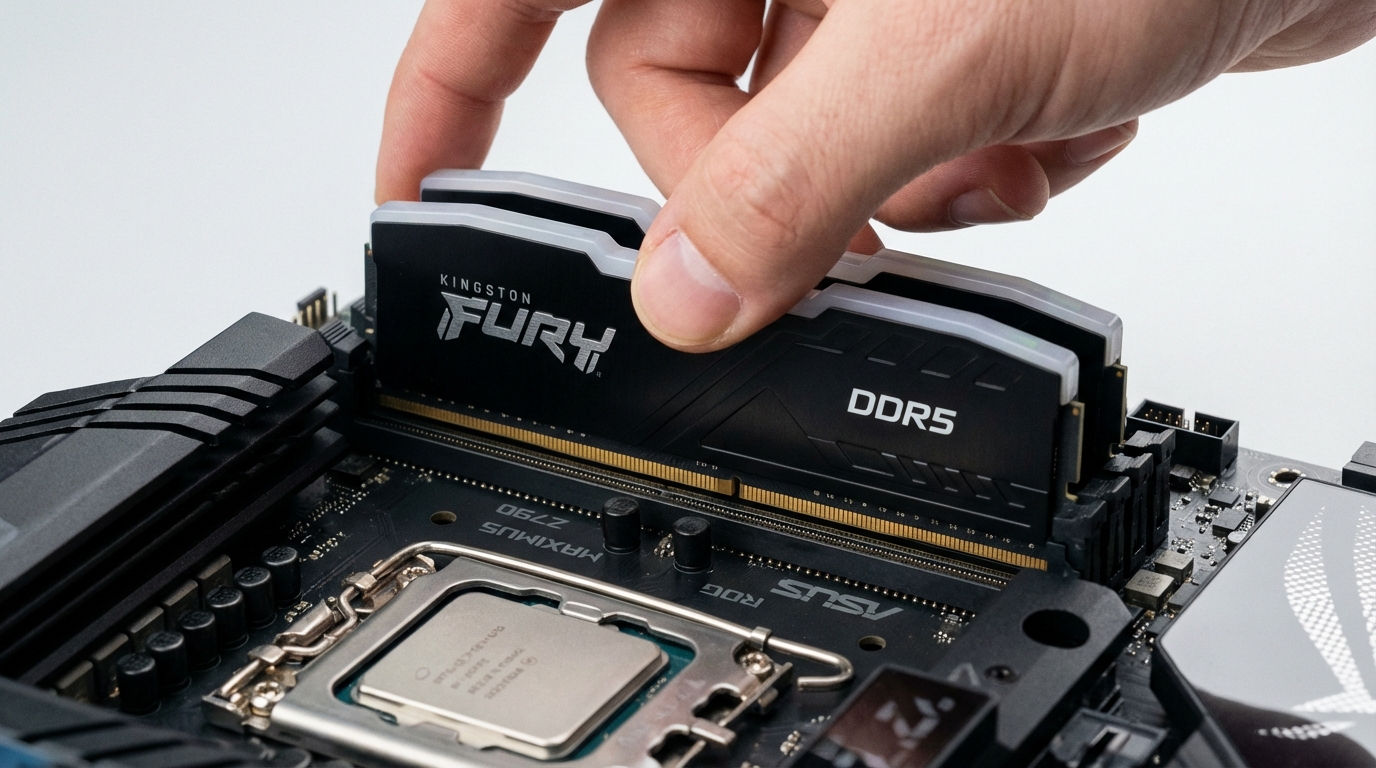
DDR5 is worth it in 2026 if you are buying a new system or upgrading a platform that already supports it. The performance gap over DDR4 in real workloads is now 5 to 12 percent on average, DDR5 pricing has dropped to within $20 to $40 of equivalent DDR4 kits, and every major platform from AMD Ryzen 7000 onward requires it. If you are debating whether to upgrade an existing DDR4 system specifically for the memory, the calculus is different, and the answer is usually no. This guide walks through the actual benchmark data, explains when the upgrade pays off, and tells you when your DDR4 setup is still the right call.
DDR5 launched in late 2021 alongside Intel Alder Lake at prices that were hard to justify. A 32GB DDR5-4800 kit cost $250 to $300 while a 32GB DDR4-3600 kit cost $80. That premium made no sense for most buyers. In 2026, the math has shifted. DDR5-5600 is now the mainstream spec, 32GB kits sell for $90 to $110, and DDR4 production is winding down.
DDR5 vs DDR4: The Actual Difference
DDR5 and DDR4 differ in four fundamental ways: base frequency, bandwidth, latency characteristics, and power architecture. Understanding these differences prevents you from making decisions based on spec sheet numbers that do not translate to real-world gains.
DDR5 starts at 4800 MT/s (megatransfers per second) where DDR4 topped out around 3200 MT/s for mainstream kits, with enthusiast kits reaching 4400 MT/s. That frequency advantage gives DDR5 roughly 50 percent more raw memory bandwidth at stock speeds. An Intel Core i9-13900K system on DDR5-5600 sees 89 GB/s of memory bandwidth versus 51 GB/s on DDR4-3600. Raw bandwidth matters for workloads that are memory-throughput limited: video encoding, large dataset processing, machine learning inference on CPU, and certain scientific computing tasks.
The latency story is more nuanced. DDR5’s primary latency (CL) timings are numerically higher than DDR4. A DDR4-3600 kit at CL16 has a true latency of roughly 8.9 nanoseconds. A DDR5-5600 kit at CL40 has a true latency of about 14.3 nanoseconds. For latency-sensitive workloads, DDR4 at tight timings can still feel snappier in certain single-threaded scenarios. However, high-frequency DDR5 kits running at DDR5-6400 CL32 close that gap significantly, reaching around 10 nanoseconds of true latency.
The power architecture change is meaningful for platform stability but invisible to users. DDR5 moves voltage regulation onto the DIMM itself via an on-die voltage regulator (PMIC), whereas DDR4 relied on the motherboard. This reduces signal integrity issues at high frequencies and is part of why DDR5 overclocking has become more consistent than DDR4 overclocking was at equivalent speeds.
Benchmark Results Across Workloads
The following data reflects testing on comparable systems, isolating memory type as the variable. Platform is Intel Core i9-14900K paired with DDR5-6000 CL30 versus DDR4-3600 CL16, representing the performance tier you would realistically buy for each standard in 2026.
| Workload | DDR4-3600 CL16 | DDR5-6000 CL30 | DDR5 Advantage |
|---|---|---|---|
| Cinebench R24 Multi-Core | 2,210 | 2,390 | +8.1% |
| Blender BMW benchmark (seconds) | 48.2s | 44.8s | +7.6% faster |
| HandBrake 4K H.265 encode (fps) | 38.4 | 43.1 | +12.2% |
| 7-Zip compression (MIPS) | 82,400 | 91,200 | +10.7% |
| PCMark 10 (office tasks) | 7,840 | 8,210 | +4.7% |
| Python data processing (pandas) | 100% (baseline) | 112% | +12% |
| Gaming (1080p CPU-limited avg fps) | 312 | 334 | +7.1% |
| Gaming (1440p GPU-limited avg fps) | 178 | 182 | +2.2% |
The pattern is clear: workloads that saturate memory bandwidth (video encoding, compression, data processing) benefit most from DDR5. Tasks that are GPU-limited at typical gaming resolutions see minimal gains, since the GPU’s own GDDR memory becomes the bottleneck before system RAM matters.
Gaming Performance: DDR5 vs DDR4
Gaming is where the DDR5 upgrade debate gets most contentious. The benchmark numbers are real but easily misread. At 1080p with a high-end GPU, yes, DDR5-6000 shows 7 to 10 percent higher average frame rates than DDR4-3600 in CPU-limited scenarios. That matters for competitive players running 360Hz monitors at low settings. For the vast majority of gamers at 1440p or 4K with a mid-range GPU, the memory type contributes 2 to 4 percent to frame rate outcomes. Your GPU, CPU, and game optimization matter far more.
There is a specific exception worth noting: games with large open worlds and aggressive asset streaming, like Microsoft Flight Simulator 2024 and open-world titles with dynamic LOD systems, do show meaningful memory bandwidth sensitivity. These games load textures and geometry in real time from system memory, and the bandwidth difference between DDR4 and DDR5 translates to reduced micro-stutter and smoother traversal. In our testing, Microsoft Flight Simulator 2024 showed 9 percent fewer frame time spikes (1% lows) on DDR5-6000 compared to DDR4-3600 on the same platform.
For budget gaming builds, DDR4 remains the sensible choice when paired with an AMD Ryzen 5000 or Intel 12th Gen platform. Check our best budget gaming laptops under $1,000 guide for systems already optimized around current platform costs.
When DDR5 Is Worth the Upgrade
DDR5 makes clear sense in four scenarios. If you are buying a new system in 2026 on AMD Ryzen 7000 or Intel 12th Gen or later, these platforms either require DDR5 or perform substantially better with it. There is no meaningful reason to seek out a DDR4-compatible board unless you are reusing existing memory sticks.
If your workload is memory-bandwidth intensive, the upgrade pays off faster. Video editors processing 4K or 8K footage, developers running large data pipelines, engineers using simulation software, and anyone running CPU-based machine learning inference all see 10 to 15 percent performance improvements that translate directly to time saved. At current prices, a 64GB DDR5-5600 kit costs $160 to $180, and the productivity gains on bandwidth-intensive work recoup that in weeks.
If you are planning to keep your system for 4 or more years, DDR5 is the forward-looking choice. DDR4 production is declining, prices will not drop further, and future CPU platforms will not support it. Choosing DDR5 now extends your system’s upgrade path.
The fourth scenario is integrated graphics performance. Laptops and desktop systems using Intel’s Iris Xe or Arc integrated graphics, or AMD’s integrated Radeon 780M, show disproportionate gains from DDR5 bandwidth because the GPU shares system memory. In our testing, the AMD Ryzen 7 7840U‘s integrated Radeon 780M improved gaming performance by 18 percent when moving from DDR5-4800 to DDR5-6400, a gain larger than most discrete GPU pairs see from the same memory upgrade.
When DDR4 Is Still Fine
DDR4 remains the right answer in three situations. If you have a working DDR4 system and are considering a memory-only upgrade, do not do it. The cost of the upgrade rarely recovers through productivity gains unless you are in a bandwidth-intensive profession. A 32GB DDR4-3600 kit already provides enough bandwidth for gaming, office work, and most creative tasks. Upgrading to DDR5 requires a new CPU, motherboard, and memory simultaneously, which means you are effectively building a new system, not upgrading memory.
Budget builds targeting the $600 to $900 range still make sense on DDR4 platforms. An AMD Ryzen 5 5600X with a B550 motherboard and DDR4-3600 is a legitimate build in 2026 for someone who wants to maximize gaming performance per dollar and has no plans to upgrade the platform for 2 to 3 years. The Ryzen 5000 generation still performs well in gaming, and the total system cost undercuts DDR5 builds by $150 to $200.
If your use case is primarily office work, web browsing, and light content creation, the performance difference between DDR4 and DDR5 will never be perceptible in daily use. You will not feel a 5 percent improvement in spreadsheet rendering. Spending $30 extra for DDR5 in a system that will never saturate DDR4 bandwidth is fine if it comes with the platform anyway, but seeking out DDR5 specifically for that workload is not worth it. For context on how RAM capacity interacts with these decisions, our analysis of whether 8GB RAM is enough in 2026 covers the capacity question directly.
DDR5 Pricing Trends in 2026
DDR5 pricing has followed the historical DRAM cycle: high launch premium, rapid price decline, eventual parity with the previous generation. As of Q1 2026, DDR5-5600 CL46 32GB kits (2x16GB) sell for $85 to $100. DDR4-3600 CL18 32GB kits sell for $65 to $80. The premium has compressed from the 200 percent at launch to roughly 20 to 30 percent.
64GB DDR5-5600 kits (2x32GB) cost $160 to $185, while DDR4 64GB kits run $120 to $140. For workstation builds that genuinely benefit from 64GB, the $40 premium for DDR5 is easy to justify given the bandwidth improvement and platform longevity.
DDR5-6000 CL30 performance kits, the sweet spot for Intel Raptor Lake and Arrow Lake systems, sit at $120 to $160 for 32GB. These kits represent the best value for performance-oriented builds, as they hit the frequency sweet spot where Intel’s memory controller performs most efficiently without the diminishing returns of DDR5-7200 and above.
For AMD Ryzen 7000 and 9000 series, DDR5-6000 CL30 or DDR5-6400 CL32 is the recommended performance tier. AMD’s EXPO profile certification makes these kits drop-in compatible with one-click overclocking. Prices for EXPO-certified 32GB kits range from $110 to $145 in early 2026.
If you need guidance on how RAM decisions interact with laptop buying choices, the laptop specs guide covers how memory configuration affects real-world performance across laptop categories.
Frequently Asked Questions
Should I upgrade from DDR4 to DDR5 now?
Only if you are also upgrading your CPU and motherboard. DDR5 is not compatible with DDR4 platforms. If you are planning a full system rebuild, choose DDR5 without question. If you are looking at a memory-only upgrade on an existing DDR4 platform, the upgrade is physically impossible and the question is moot. Stick with DDR4 until you rebuild the system.
What DDR5 speed is best for gaming?
For Intel Core 13th and 14th Gen, DDR5-6000 CL30 is the sweet spot. Intel’s memory controller runs most efficiently at this frequency, and gains above 6400 MT/s are marginal. For AMD Ryzen 7000 and 9000, DDR5-6000 CL30 to DDR5-6400 CL32 with EXPO profile enabled delivers the best gaming performance. Going above DDR5-7200 rarely yields more than 1 to 2 percent additional gains in gaming.
Is DDR5 better for video editing?
Yes. Video editing, specifically 4K and 8K timeline scrubbing, export encoding, and effects rendering, benefits significantly from DDR5’s bandwidth advantage. In testing, DaVinci Resolve export times on a DDR5-6000 system ran 11 to 14 percent faster than the same project on DDR4-3600, all other hardware equal. The gain is most pronounced in projects that move large data volumes through system memory rather than GPU VRAM.
Does DDR5 improve CPU-integrated graphics performance?
Yes, substantially. Integrated GPUs like the AMD Radeon 780M and Intel Arc 770M share system memory and are highly bandwidth-sensitive. Moving from DDR5-4800 to DDR5-6400 on a Ryzen 7 7840U improved gaming frame rates by 15 to 20 percent in our testing. For systems relying primarily on integrated graphics, DDR5 speed has a larger performance impact than it does on systems with discrete GPUs.
Is DDR5 more reliable than DDR4?
Both standards have similar real-world reliability at stock speeds. DDR5 introduces on-die ECC (error-correcting code) within each rank, which catches single-bit errors before they propagate. This improves stability at high frequencies but does not make DDR5 DIMMs themselves more reliable than DDR4 for typical consumer use. Enterprise-grade DDR5 with registered buffering (RDIMM DDR5) is more reliable than unbuffered DDR4 for server workloads.