

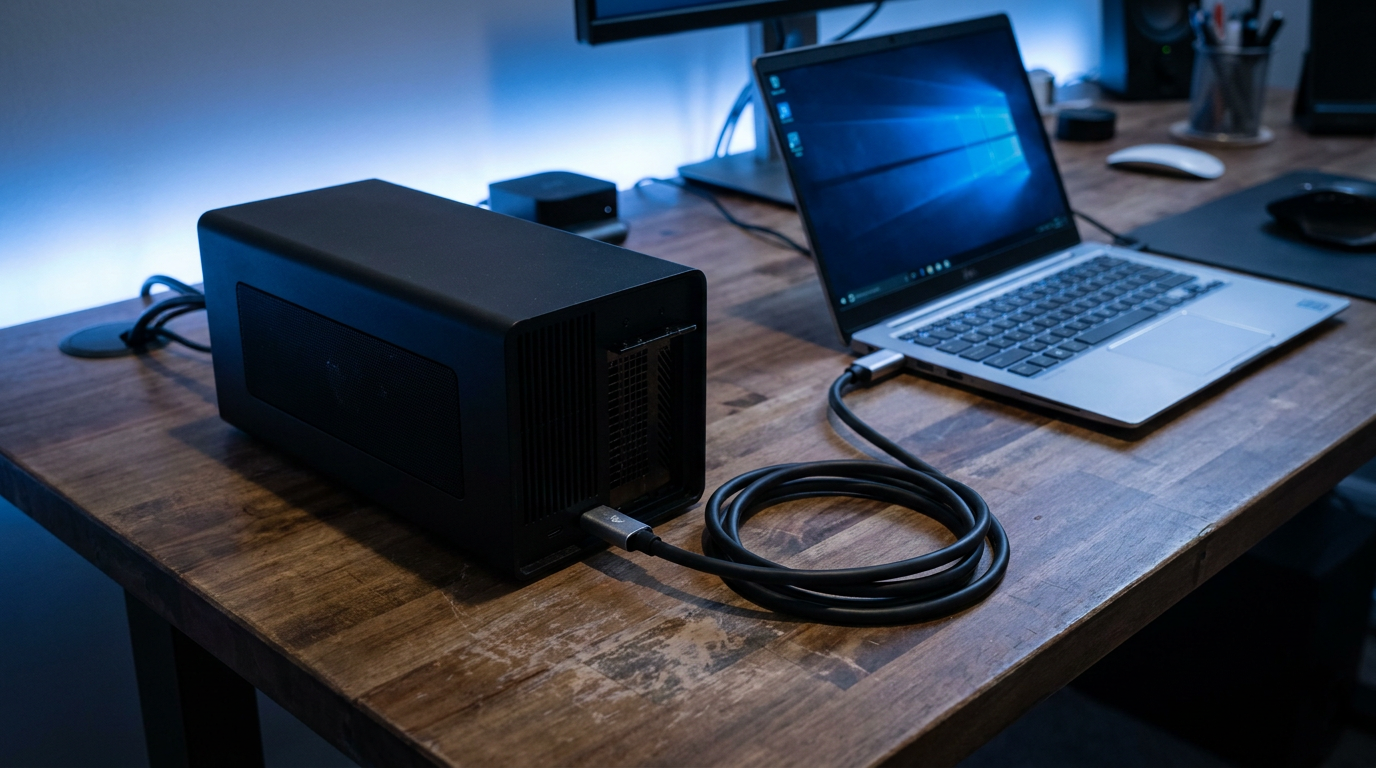
An external GPU setup needs three things: a Thunderbolt or OCuLink enclosure, its own power supply, and a laptop port fast enough to feed it. What it will not do is turn a weak CPU into a fast one, or hand you the full bandwidth a desktop PCIe slot gives a graphics card. Know both halves of that truth before you spend the money.
What an External GPU Enclosure Actually Contains
A GPU enclosure is a small case with its own power supply, a PCIe slot for the card, and a controller chip that talks to your laptop over Thunderbolt or OCuLink. You usually buy the enclosure and card separately.
The enclosure’s own PSU matters more than people expect. A mid-range or high-end card can draw well over 200 watts, and your laptop’s charger has nothing to do with that.
Which Laptop Port You Actually Need
Thunderbolt 3 or Thunderbolt 4 over USB-C is the standard connection for almost every consumer eGPU enclosure sold today. OCuLink moves more data per second, but it only shows up on a handful of gaming laptops and mini PCs.
Not every USB-C port on a laptop carries a Thunderbolt signal. Support depends on the chipset wired to the motherboard and the upgrades it can physically support, so check your exact model against the manufacturer’s spec sheet before buying an enclosure.
The CPU Bottleneck an External GPU Cannot Fix
Plenty of thin laptops pair a modest CPU with weak integrated graphics. Bolting on a powerful external card raises your graphics ceiling, but the CPU still has to feed that card instructions fast enough to use it.
If your processor already struggles under demanding tasks, an eGPU will not change that. Before blaming the graphics side, rule out a thermal issue by checking normal CPU temp ranges for your chip.
Why Thunderbolt Bandwidth Costs You Performance
A desktop card usually sits in a PCIe x16 slot wired directly to the motherboard. Thunderbolt tunnels PCIe data over a cable, but the practical bandwidth available to the GPU works out closer to a PCIe x4 connection once controller overhead is counted.
That gap does not erase the benefit of a stronger card, but an external GPU setup will not match what the identical card delivers inside a desktop tower. Heavy workloads moving large textures or datasets feel this limit the most.
The Internal Display Performance Hit
Run games on the laptop’s own screen while using an eGPU, and the output has to route back through that same Thunderbolt link before it reaches your eyes, adding a small but measurable cost on top of the bandwidth loss above.
Connect an external monitor straight to the enclosure instead and you skip that return trip. An enclosure handles the GPU’s own heat fine, but it does nothing for laptop overheating coming from the internal components running alongside it.
When an External GPU Setup Actually Makes Sense
An eGPU earns its cost on a laptop with weak or no dedicated graphics, paired with an external monitor, for tasks that lean on GPU power rather than raw CPU speed. It makes far less sense when the CPU is already the limiting factor, or when you mainly game on the built-in screen.
Frequently Asked Questions
Does an external GPU work with any laptop? No. Your laptop needs a Thunderbolt 3 or Thunderbolt 4 port, or OCuLink on select models, wired to a chipset that actually supports external graphics. Check your model’s spec sheet first.
Will an external GPU fix a slow laptop? Only if graphics performance was the actual bottleneck. A weak CPU, thermal throttling, or a failing drive will still limit performance no matter how strong the card is.
Is Thunderbolt fast enough for a high-end graphics card? Fast enough for a real improvement over integrated graphics, but the effective bandwidth trails a desktop PCIe x16 slot. Expect a strong upgrade, not a desktop-identical result.