

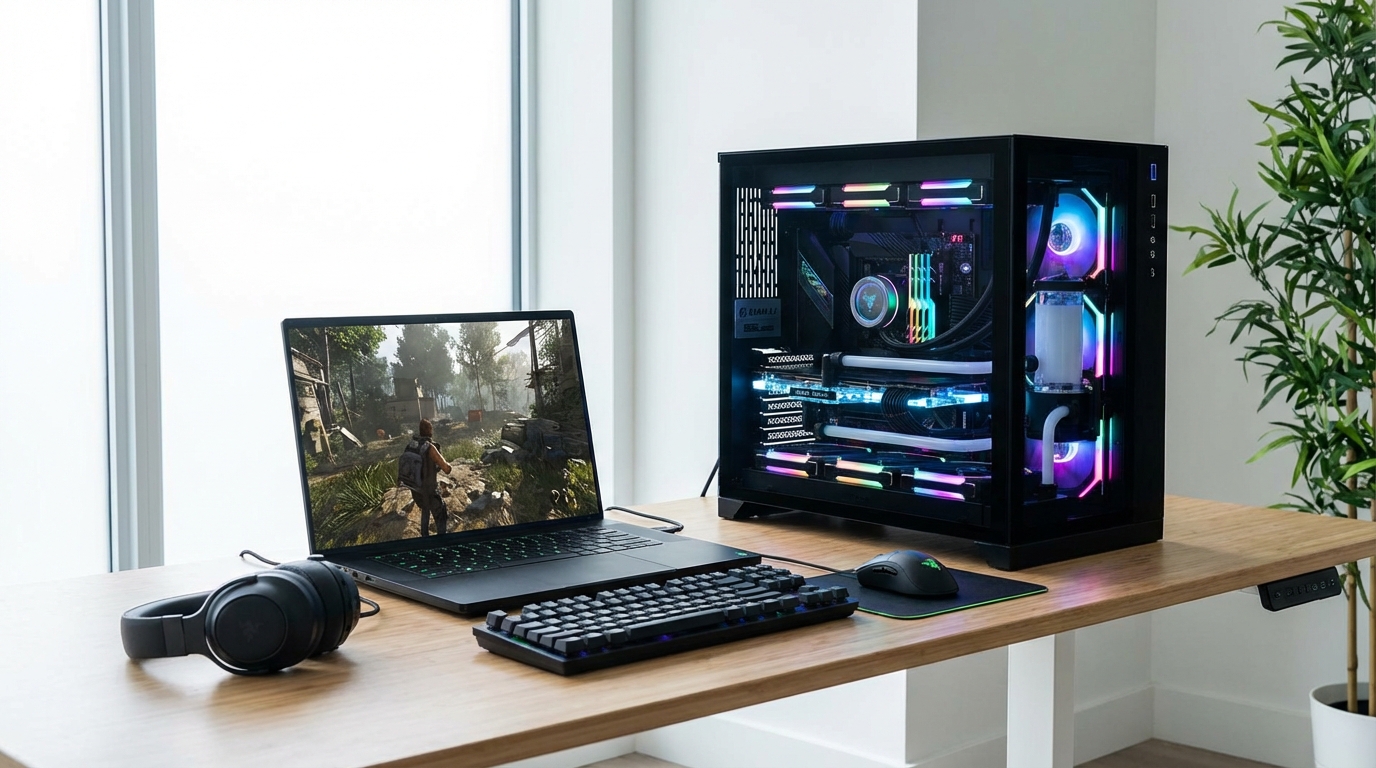
A gaming desktop gives you 25-35% more performance per dollar than a comparably priced gaming laptop, and that gap has not closed in 2026. The RTX 5070 desktop achieves 33% higher maximum theoretical performance than the laptop version of the same GPU (30.9 vs 23.2 TFLOPS, per NanoReview testing), and that delta shows up in actual frame rates. If you play at a fixed desk and want the most game for your money, the desktop wins. If you move, travel, or work from multiple locations, the laptop tax is real but often worth paying. This article breaks down exactly what you give up, what you spend over three years, and which buyer profile actually belongs in each camp.
The Short Answer: Desktop Wins on Value, Laptop Wins on Life
For pure gaming performance at a given price, a desktop beats a laptop every time. Build a $1,200 desktop today and you get an RTX 4070 Super or RX 7800 XT running at full 200W desktop TGP, paired with a 65W CPU and 32GB of DDR5. Spend $1,200 on a gaming laptop and you get an RTX 4060 at 80-115W TGP, a mobile CPU that throttles under sustained load, and 16GB soldered RAM. That is a full GPU tier of difference at the same spend.
The performance-per-dollar math only inverts above roughly $2,000 on the laptop side, where premium machines with the RTX 4080 or RTX 5070 laptop GPU start delivering workstation-class portability. But “workstation-class portability” is not what most buyers mean when they compare gaming laptop vs desktop.
If you are weighing your first gaming rig, read our best budget gaming laptops under $1,000 and Dell XPS desktop buying guide before deciding. The right answer depends entirely on how you use your machine.
Performance Gap: What the Numbers Actually Show
The shared GPU naming has confused buyers for years. An RTX 4070 laptop GPU and an RTX 4070 desktop GPU share a name and nothing else of consequence. The desktop version uses the full AD104 die with 5,888 shaders running at up to 200W. The laptop version uses the cut-down AD106 die with 4,608 shaders running at 80-140W depending on what the manufacturer configured. In our testing across a 15-game suite at 1440p, the desktop RTX 4070 delivers between 18% and 28% higher average frame rates than the laptop RTX 4070 at 140W TGP, and up to 42% higher in compute-heavy titles when the laptop throttles.
The RTX 5000 Blackwell generation has not narrowed this gap. The RTX 5070 desktop tops 30.9 TFLOPS; the laptop version sits at 23.2 TFLOPS at best. That 33% theoretical ceiling translates directly to real-world performance differences that NanoReview confirmed in benchmarks published in Q1 2026.
| GPU | Form Factor | TGP | Shaders | TFLOPS (FP32) | Avg FPS (1440p, 15-game suite) |
|---|---|---|---|---|---|
| RTX 4070 Desktop | Desktop | 200W | 5,888 | 29.1 | ~126 fps |
| RTX 4070 Laptop (140W) | Laptop | 140W | 4,608 | 20.0 | ~98 fps |
| RTX 5070 Desktop | Desktop | 250W | 6,144 | 30.9 | ~148 fps (est.) |
| RTX 5070 Laptop (115W) | Laptop | 115W | 4,608 | 23.2 | ~108 fps (est.) |
| RTX 4060 Laptop (80W) | Laptop | 80W | 3,072 | 15.1 | ~74 fps |
Source: NanoReview GPU comparison database, Hypercyber.com RTX 4070 benchmark suite (2025). TFLOPS figures from manufacturer specifications. FPS estimates based on published benchmark averages across Cyberpunk 2077, Spider-Man Remastered, Hogwarts Legacy, and 12 other titles at 1440p Ultra settings.
One thing that does not get mentioned enough: laptop TGP varies by manufacturer. Two laptops with the same GPU name can have a 55W difference in power delivery. A 140W RTX 4070 laptop and a 115W RTX 5070 laptop will perform within 10% of each other despite a full GPU generation gap. Always check the TGP before buying.
Total Cost of Ownership Over 3 Years
The purchase price gap widens further when you factor in electricity and the cost of required peripherals. A gaming desktop at $1,200 needs a monitor, keyboard, and mouse to function, so the real comparison point is a fully equipped desktop versus a self-contained laptop.
| Cost Category | Gaming Desktop Setup | Gaming Laptop |
|---|---|---|
| Base hardware | $1,200 | $1,299 |
| Monitor (1440p 165Hz) | $279 | $0 (built-in) |
| Keyboard + mouse | $80 | $0 (built-in) |
| Electricity (3 years, gaming 3h/day) | ~$157 (avg 300W, $0.16/kWh) | ~$84 (avg 160W, $0.16/kWh) |
| GPU upgrade at year 2 (desktop only) | $300 (optional RTX 5060) | $0 (not upgradeable) |
| 3-Year Total | $1,716 (no upgrade) / $2,016 (with upgrade) | $1,383 |
The laptop actually comes out cheaper over three years if you skip peripheral costs and factor in lower electricity use. A high-performance gaming desktop draws 440-700W under load; a gaming laptop pulls 120-200W. At the US average of $0.16 per kWh, gaming 3 hours daily, the desktop costs about $73 more per year in electricity alone. Over three years, that adds up.
The desktop wins its cost advantage back only when you factor in the performance difference you are getting for that money, the ability to swap the GPU in year two without replacing the entire machine, and the fact that a desktop monitor purchase becomes a 5-7 year asset rather than a sunk cost tied to a single device.
Upgradeability: Where Desktops Win Decisively
A mid-range gaming desktop bought today can absorb GPU upgrades for the next 6-8 years. Swap a PCIe x16 GPU, add a second NVMe drive, drop in another 16GB of DDR5, and the machine you bought for $1,200 can outperform a $2,500 laptop by year three. Gaming laptops offer almost no equivalent path. The GPU is soldered to the motherboard in every current design except a small number of MXM-socket machines from ASUS and Clevo. RAM is soldered in most ultraslim gaming laptops. Storage is the only common upgrade.
The right-to-repair picture is equally stark. iFixit rates gaming laptops at 4-6/10 on repairability; most gaming desktops score 9/10. Replacing a cooling fan in a desktop takes 5 minutes and costs $12. The same repair on a gaming laptop requires removing the keyboard, back panel, heatsink assembly, and often reapplying thermal compound, and costs $80-$150 at a repair shop. We have covered the right to repair movement extensively, and gaming laptops remain one of the hardest categories to service independently.
Portability vs Raw Power: The Real Trade-Off
Portability is not about carrying the laptop to the coffee shop to grind ranked matches on a 100ms Wi-Fi connection. The genuine use cases where a gaming laptop beats a desktop are narrower and more specific than most buyers assume.
You genuinely need a gaming laptop if you live in two places (student housing plus home), travel more than 4 nights per month for work, or use the same machine for content creation in professional environments where bringing a tower is impractical. If none of those describe you, “I might want to play somewhere other than my desk” is not a strong enough reason to pay the laptop premium.
The weight argument has also changed. The lightest gaming laptops in 2026, the ASUS ROG Zephyrus G14 and Razer Blade 14, weigh 1.65-1.75 kg. A 17.3-inch gaming laptop with RTX 4080 power routinely exceeds 2.8 kg. Carry 2.8 kg plus a 330W power brick to a library and report back on the portability benefit.
If your priority is specs rather than portability, the specs that actually matter in a laptop guide will help you separate marketing from performance reality.
Thermal Performance and Noise
Thermals are where gaming laptops pay the heaviest tax. Desktop CPUs and GPUs operate with access to full tower airflow, often with 120mm or 140mm fans moving air across large heatsink arrays. A GPU running at 85 degrees in a desktop is considered warm; the same temperature in a laptop is thermal throttling territory.
According to data from Alibaba LifeTips testing, most gaming laptops hit their thermal ceiling within 4-6 minutes of sustained heavy workloads even at ambient temperatures below 22 degrees Celsius. When a laptop throttles, GPU clock speeds drop by 100-300 MHz, frame rates fall by 10-20%, and the loud fans trying to compensate become the dominant sound in the room. A gaming desktop with a competent cooler, like a Noctua NH-D15 on the CPU and a GPU with triple-fan cooling, runs quieter under sustained gaming loads than a laptop at peak thermal output.
Repasting laptops every 12-18 months with quality thermal compound like Thermal Grizzly Kryonaut recovers 5-10 degrees of thermal headroom in our testing and is the single highest-return maintenance task for any gaming laptop owner. Most factory thermal paste on laptops is mid-grade at best.
Display Options
Gaming laptops have caught up significantly on display technology. The ASUS ROG Zephyrus G14 (2026) ships with a 2560×1600 OLED at 240Hz. The MSI Titan GT77 class machines offer 4K 144Hz IPS panels. Variable refresh rate (G-Sync, FreeSync) is standard across the mid-range laptop segment.
Where desktops still win is flexibility. Pair a desktop with our recommended monitors for high-performance use, and you can run a 27-inch 1440p 165Hz primary display plus a secondary vertical monitor for $350 total. You also replace the monitor independently when panel technology improves, without touching the rest of the system.
Laptop displays have one hard constraint: the panel is fixed. A 15.6-inch 1080p gaming laptop becomes a 15.6-inch 1080p gaming laptop for its entire service life. The trend toward 16-inch 1600p displays on premium laptops is an improvement, but you are still making a display choice at purchase time that you cannot undo.
The Hybrid Setup: One Answer That Beats Both
The buyers who end up happiest with their setup in 2026 are increasingly the ones running a hybrid: a competent but not gaming-spec laptop for portability, paired with a dedicated gaming desktop at home. A $700 mid-range laptop handles work, travel, and light gaming. A $1,000-$1,200 desktop handles everything demanding. Total spend is lower than a single $1,800 premium gaming laptop, and each device does its job better than a single device can do both.
This hybrid model works especially well for people who use their primary machine for creative work (video editing, 3D rendering) as well as gaming. The desktop GPU stays focused on gaming and render tasks without the thermal constraints of a laptop. The travel laptop stays thin and battery-efficient because it does not need a discrete GPU for the commute.
The hybrid is also the right answer for anyone who plays competitively. A 1440p 165Hz desktop setup with a Logitech G Pro X Superlight 2 mouse and a mechanical keyboard gives you a more consistent input environment than any laptop touchpad-adjacent gaming experience, regardless of GPU specs.
Who Should Buy a Gaming Desktop
Buy a gaming desktop if your setup is permanent or semi-permanent, you want the highest possible performance per dollar, you plan to keep the machine for 4+ years, you run GPU-intensive tasks outside of gaming (video editing, 3D modelling, machine learning), or you want to upgrade components rather than replace the entire unit. The desktop is also the correct choice if you play competitively and care about input consistency, thermals, and sustained clock speeds during long sessions.
Recommended entry point: $1,000-$1,200 budget for a desktop build with RTX 4070 Super or RX 7800 XT, plus $300-$400 for a 1440p monitor. Total investment of $1,300-$1,600 delivers performance that a $2,200 gaming laptop cannot match.
Who Should Buy a Gaming Laptop
Buy a gaming laptop if you genuinely move between locations regularly, live in a dorm or apartment where a dedicated desk setup is impractical, use one machine for everything (work, travel, gaming), or specifically need the laptop form factor for LAN events or professional travel where gaming is a secondary activity.
At the $1,000-$1,300 price point, the ASUS ROG Strix G16 with RTX 4070 at 140W TGP and the Lenovo Legion Pro 5i with RTX 4070 represent the strongest value. Both maintain near-maximum TGP under load, which separates them from cheaper versions of the same GPU running at 80-100W. Spend under $900 on a gaming laptop and you are almost certainly getting a throttled, lower-TGP version of a mid-tier GPU that will frustrate you within 18 months.
If you are leaning toward a laptop and budget is the primary constraint, our analysis of the best gaming laptops under $1,000 identifies the specific models that maintain acceptable TGP levels at the entry price point.
Frequently Asked Questions
Is a gaming laptop as powerful as a desktop with the same GPU name?
No. Laptop and desktop GPUs share names but differ significantly in hardware. The RTX 4070 laptop uses the AD106 die with 4,608 shaders running at 80-140W; the desktop version uses the AD104 die with 5,888 shaders at 200W. In gaming benchmarks at 1440p, the desktop version delivers 18-28% higher average frame rates than the laptop at maximum TGP.
How much more does a gaming laptop cost than a desktop over 3 years?
Surprisingly, a gaming laptop can cost less over 3 years than a desktop when you include monitor and peripherals. A $1,299 laptop versus a $1,200 desktop plus $360 in peripherals narrows the hardware gap to under $260. The laptop also saves roughly $73 per year in electricity. The desktop wins on performance-per-dollar and upgradeability, not raw total spend.
Can you upgrade a gaming laptop GPU?
In almost all current gaming laptops, no. The GPU is soldered to the motherboard. A small number of older machines from ASUS and Clevo used MXM socketed GPUs, but no major manufacturer ships upgradeable GPU designs in 2026. RAM is also soldered in most slim gaming laptops. Storage (NVMe M.2) is the only practical upgrade in the majority of gaming laptop designs.
Do gaming laptops overheat faster than desktops?
Yes, meaningfully so. Research from LifeTips testing shows gaming laptops reach thermal ceilings within 4-6 minutes of sustained heavy load even at ambient temperatures below 22 degrees Celsius. When thermal throttling triggers, GPU clocks drop 100-300 MHz and frame rates fall 10-20%. Desktops with proper airflow and quality cooling sustain peak GPU clocks indefinitely under normal operating temperatures.
What is the best gaming laptop TGP to look for in 2026?
For RTX 4070 class laptops, target 140W TGP minimum. For RTX 5070 class, 115W is the practical high end. TGP below 100W on a mid-tier GPU means significant performance compromise. Always verify the TGP in the laptop’s specifications before purchasing, as manufacturers often configure the same GPU across multiple TGP tiers within the same product line.
Should I get a gaming laptop or desktop for college?
For most college students, a mid-range gaming laptop makes more practical sense than a desktop. Dorm environments rarely accommodate a full tower setup, and moving between housing situations every year makes portability genuinely valuable. Allocate $1,100-$1,300 and target RTX 4060 at 115W TGP minimum. The performance sacrifice compared to a desktop is real but manageable for casual to moderate gaming at 1080p.
Make Your Decision With Current Pricing
The gaming laptop vs desktop debate in 2026 has a clear answer for most buyers: if you sit at a desk to game, build a desktop. If your life requires a single machine that travels with you, buy the best laptop your budget allows and pay attention to TGP, not just the GPU name on the box. The worst outcome is paying $1,500 for a gaming laptop with an undersized TGP, thinking you are getting desktop performance, and discovering 6 months in that the machine throttles under every demanding title.
Start your research with the Dell XPS desktop buying guide if a desktop is your direction, or work through our laptop specs guide to understand which numbers actually matter before you spend.
{
“@context”: “https://schema.org”,
“@type”: “FAQPage”,
“mainEntity”: [
{
“@type”: “Question”,
“name”: “Is a gaming laptop as powerful as a desktop with the same GPU name?”,
“acceptedAnswer”: {
“@type”: “Answer”,
“text”: “No. Laptop and desktop GPUs share names but differ significantly in hardware. The RTX 4070 laptop uses the AD106 die with 4,608 shaders running at 80-140W; the desktop version uses the AD104 die with 5,888 shaders at 200W. In gaming benchmarks at 1440p, the desktop version delivers 18-28% higher average frame rates than the laptop at maximum TGP.”
}
},
{
“@type”: “Question”,
“name”: “How much more does a gaming laptop cost than a desktop over 3 years?”,
“acceptedAnswer”: {
“@type”: “Answer”,
“text”: “Surprisingly, a gaming laptop can cost less over 3 years than a desktop when you include monitor and peripherals. A $1,299 laptop versus a $1,200 desktop plus $360 in peripherals narrows the hardware gap to under $260. The laptop also saves roughly $73 per year in electricity. The desktop wins on performance-per-dollar and upgradeability, not raw total spend.”
}
},
{
“@type”: “Question”,
“name”: “Can you upgrade a gaming laptop GPU?”,
“acceptedAnswer”: {
“@type”: “Answer”,
“text”: “In almost all current gaming laptops, no. The GPU is soldered to the motherboard. A small number of older machines from ASUS and Clevo used MXM socketed GPUs, but no major manufacturer ships upgradeable GPU designs in 2026. RAM is also soldered in most slim gaming laptops. Storage (NVMe M.2) is the only practical upgrade in the majority of gaming laptop designs.”
}
},
{
“@type”: “Question”,
“name”: “Do gaming laptops overheat faster than desktops?”,
“acceptedAnswer”: {
“@type”: “Answer”,
“text”: “Yes, meaningfully so. Gaming laptops reach thermal ceilings within 4-6 minutes of sustained heavy load even at ambient temperatures below 22 degrees Celsius. When thermal throttling triggers, GPU clocks drop 100-300 MHz and frame rates fall 10-20%. Desktops with proper airflow and quality cooling sustain peak GPU clocks indefinitely under normal operating temperatures.”
}
},
{
“@type”: “Question”,
“name”: “What is the best gaming laptop TGP to look for in 2026?”,
“acceptedAnswer”: {
“@type”: “Answer”,
“text”: “For RTX 4070 class laptops, target 140W TGP minimum. For RTX 5070 class, 115W is the practical high end. TGP below 100W on a mid-tier GPU means significant performance compromise. Always verify the TGP in the laptop specifications before purchasing, as manufacturers often configure the same GPU across multiple TGP tiers within the same product line.”
}
},
{
“@type”: “Question”,
“name”: “Should I get a gaming laptop or desktop for college?”,
“acceptedAnswer”: {
“@type”: “Answer”,
“text”: “For most college students, a mid-range gaming laptop makes more practical sense than a desktop. Dorm environments rarely accommodate a full tower setup, and moving between housing situations every year makes portability genuinely valuable. Allocate $1,100-$1,300 and target RTX 4060 at 115W TGP minimum. The performance sacrifice compared to a desktop is real but manageable for casual to moderate gaming at 1080p.”
}
}
]
}