

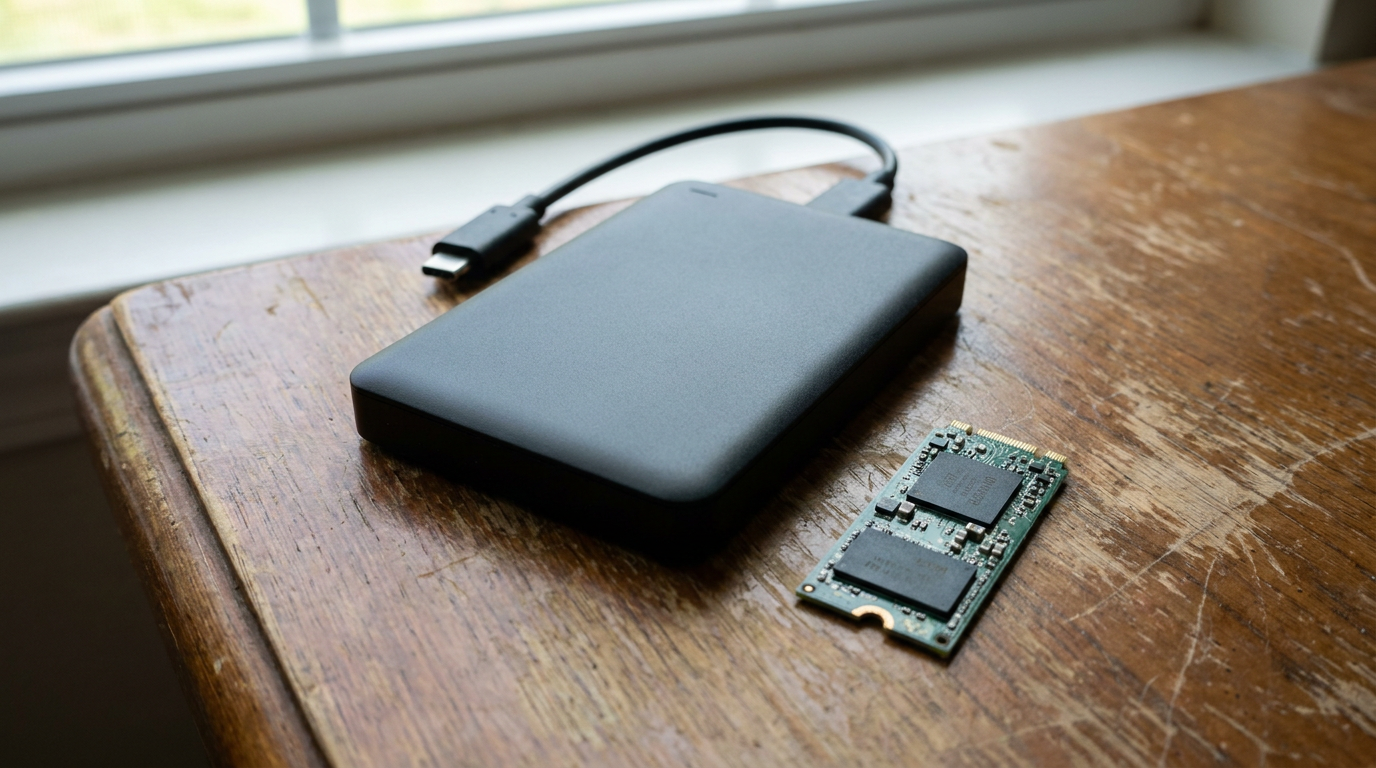
An external SSD beats a traditional external hard drive on every measure that matters for portable storage: it survives drops, runs quieter, and reads files faster the moment you plug it in. The harder question is whether that same external SSD beats an internal SSD already living inside your desktop or laptop, and that comes down to how you move data, not just how fast the drive spins.
People searching “ssd external hard drive” are usually shopping for an external drive, assuming it works like the old spinning drives they remember. It doesn’t, not mechanically. An external SSD has no platters and nothing to fail from a bump on a desk.
Why “External Hard Drive” and “External SSD” Aren’t the Same Purchase
A classic external hard drive uses spinning magnetic platters inside an enclosure. An external SSD uses flash memory, the same category of chip found in a laptop’s internal NVMe drive. That distinction matters because flash has no moving parts to wear out.
External SSDs now sit close enough in price per terabyte that the mechanical drive rarely wins outside the largest, cheapest bulk-backup tiers.
External SSD vs Adding an Internal SSD: The Real Decision
This is the comparison that changes your workflow. An internal SSD connects through your motherboard’s PCIe or SATA lanes, the same interface class covered in our PCIe SSD vs SATA SSD breakdown. An external SSD connects through a USB port and an enclosure controller sitting between the flash chip and your computer.
That enclosure and cable add a layer the internal drive doesn’t have. For everyday file transfers, editing, and backups, you won’t feel it. For workloads that saturate a drive’s full interface ceiling, large video exports for example, an internal connection avoids the extra hop entirely.
The USB Interface Ceiling You Actually Hit
Every external SSD is capped by whichever USB standard its enclosure and your port support, not just by the flash chip inside it. Fast internal NAND connected through an older USB port performs at the port’s ceiling, not the drive’s potential.
Check the exact USB version on both the drive and the port you’ll actually use daily, not just the fastest port your PC happens to have on the back panel. Mismatched versions are the most common reason people feel shortchanged after buying a new drive and end up checking their SSD speed to see what’s wrong.
When the External SSD Wins
Portability decides it. If you move between machines, need offsite backup, or want a drive that survives a backpack, the external SSD wins outright over both the old external hard drive and over adding internal capacity you can’t carry anywhere. It also wins for anyone without free internal bays, which covers most laptops and small-form-factor desktops.
When Adding Internal Storage Wins
Internal storage wins when your bottleneck is sustained throughput on a single heavy task, like scrubbing through large raw video files directly off the drive. It also wins on cost per gigabyte at high capacities, since you skip paying for an enclosure and controller. If your desktop has an open M.2 slot or SATA bay, that’s usually the cheaper way to add capacity you never need to unplug.
Frequently Asked Questions
Is an external SSD as reliable as an internal one? Yes, the flash memory is the same technology class. The main added failure point is the enclosure’s cable and connector, which see more physical handling than an internal drive ever does.
Will an external SSD work as well as an internal drive for gaming? It depends on the USB connection speed available. Many current consoles and PCs support external SSD game libraries, but confirm the port and enclosure match a fast enough USB standard first.
Should I buy an external SSD or add a second internal drive? Buy external if you need to carry the drive between devices or you’re out of internal bays. Add internal if the drive stays put and you want fewer bottlenecks.